
Mimestream
v1.10.8A native Mac client for Gmail, built on the Gmail API.
Freemium7-day trial; $49.99/yr after that.macOSUpdated on Sep 4, 2026
About
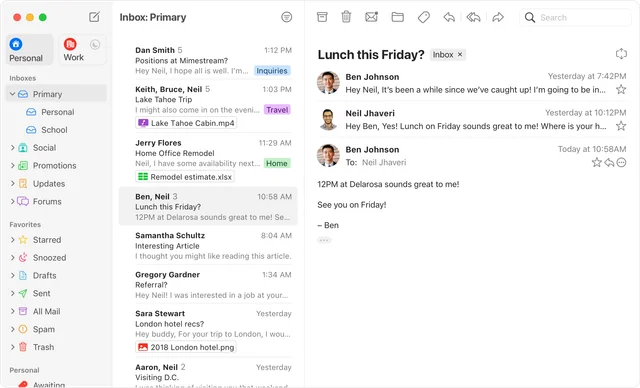
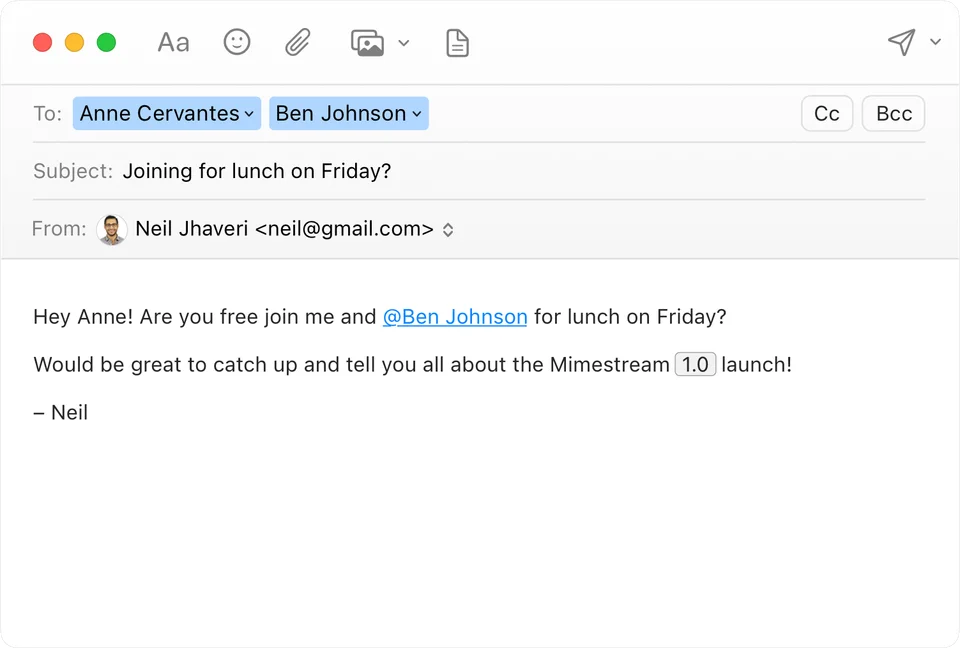
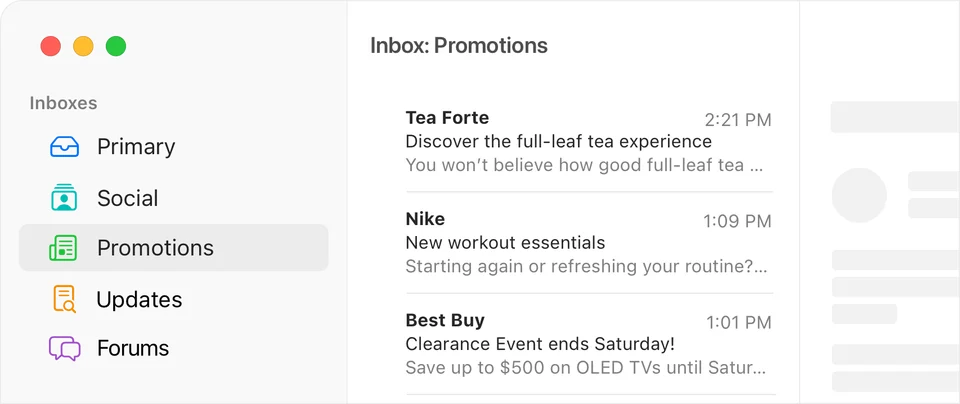
Mimestream is a real Mac app for Gmail rather than a web page in a wrapper. It speaks the Gmail API directly, so labels, filters, multiple accounts and search behave the way Gmail actually works, while the interface is built from AppKit and feels like Mail. It covers Google Workspace accounts, and a subscription funds development.
- Price
- Freemium, 7-day trial; $49.99/yr after that.
- Payment
- Subscription
- Version
- 1.10.8 · Sep 4, 2026
- Platforms
- macOS
- Category
- Communication
Featured badge
Make Mimestream yours: show the badge on its site and the listing marks itself as linked back.

<a href="https://macgrove.app/apps/mimestream">
  <img src="https://macgrove.app/badge/mimestream.svg" alt="Featured on MacGrove" width="284" height="32" />
</a>[](https://macgrove.app/apps/mimestream)What’s new
All 3 releases1.10.8LatestBig update · on Sep 4, 2026
Note: Future versions of Mimestream will require macOS 14 or newer. Learn more…
This update contains an important compatibility fix for macOS 26.6.
Lightning-fast notifications with Mimestream Private Push
Get lightning-fast notifications of new email with Mimestream Private Push, now enabled by default on macOS 26 and later. Its privacy-focused architecture means our service never receives your Google OAuth credentials and cannot read your email or see message content.
If an account needs to be upgraded, open Settings and Mimestream will guide you through it. Learn more about Private Push in our Trust Center.
Optional “All” profile
Earlier
0.41.6We’re putting the final finishing touches on Mimestream 1.0! Until then, this update fixes regressions introduced by macOS 13.3, and is compatible with macOS 11+.
We’re putting the final finishing touches on Mimestream 1.0! Until then, this update fixes regressions introduced by macOS 13.3, and is compatible with macOS 11+.
We’ve been busy getting Mimestream 1.0 ready – details coming soon! In the meantime, we have some assorted improvements and bug fixes.
✨ Improved
- Revised appearance for the “Draft” indicator in the message list
- Mentions can now autocomplete contacts from the Workspace directory
- Better user-facing alerts when encountering authorization errors
- Preparations for the upcoming 1.0-beta.1 build
- New appearance for “Draft” messages in list
- Cycle through Unified folder subfolders by repeating the shortcut
- Show the Templates toolbar button for feature discoverability
- Revised recipient autocomplete suggestion scoring algorithm
🔧 Fixed
- (macOS 13.3) Changing the font size in the compose window doesn't work
- (macOS 13.3) Spacebar doesn't scroll conversation view
- Mimestream crashes due to a Gmail API change
- Addresses sometimes don't tokenize after pressing tab
- Mentions don't work if there is a “+” earlier on the line
- Crash when displaying messages without a From header
- Label picker sometimes doesn't have keyboard focus when opened
- (macOS 13) Visual artifacts when swiping on a message list row
- (macOS 13) Text in the Label picker is misaligned
- Crash when displaying messages without a From header
- Copy Gmail URL doesn't copy the URL
- Snoozed messages sometimes don't unsnooze at the correct time
- Mid-sentence mentions don't work
- Cannot scroll with keyboard arrow keys in the standalone window
- Category folder added to Favorites doesn't have a “Remove from Favorites” button
- After renaming a label, the window title isn't updated
- Signature popup sometimes doesn't update when changing the From account
- Highlight label colors on hover in menus and picker popovers
- Expanded folder shows badge count on refresh
- Localization doesn't work for the “Prevent Tracking” preference
- Settings panes can wrap incorrectly in non-English localizations
- Broken selection restoration when no folder was selected
- Error message lacks detail when app doesn't have permission to access Contacts
- Crash when selecting “Don't Allow” access to Contacts
- Broken appearance after copying text from messages that support dark mode
- Search field shouldn't allow formatting of text via shortcuts
🧹 Cleanup
- Inform macOS 11 users that subsequent updates will require macOS 12+
- Tweak alignment of Google service checkboxes
- Tweak sizing of header buttons
- Improvements and bug fixes for alpha features
0.35.6This final update for macOS 10.15 Catalina disables the beta build expiration.
This final update for macOS 10.15 Catalina disables the beta build expiration.
Future updates to Mimestream will only be available on macOS 11 or newer.
🚀 New
- Create multiple alternate signatures
- Per-account “Categorized Inbox” settings
- Emoji substitutions when composing
- Send to labels/groups from Google Contacts
- Template subjects, To/Cc/Bcc fields, and formatting
- Forward messages as attachments
- Date suggestions in the search field
- Show the Apple Contacts card for an address token
- Configure which calendars from Apple Calendar are displayed in the invitation banner
- Swipe action options for “Label” and “Move To”
- Reorder attachments in the compose window via drag and drop
✨ Improved
- The “Mark all as Read” button is now shown even when the message list is filtered
- Added a “Not Spam” context menu item to the message list
- Sharing images now inserts them inline, so they can be resized
- The Calendar banner now shows recurring event details
- The Calendar banner now has meeting-join links
- Improved autocomplete suggestion orderings
- When selected, the Trash and Spam folders now have context menu items to permanently erase all items
- Ability to drag messages and drop onto a label with the option key to add that label
- When replying and quoting only selected text, default to a bottom-post initial cursor position
- Templates can now substitute more variables
- New “Account Added” view prompting input of an account name
🔧 Fixed
- Windows don't open on macOS Catalina after the beta build expiration date
- Slow receipt of new email and battery drain for some Google Workspace accounts due to an infinite synchronization loop
- Can't tab from subject to body (when there are no signatures)
- Body text gets erased when changing From (or signature) (when using the preference to place signatures below quoted text)
- Crash when replying to messages with duplicated images
- Crash when using the message list filter on macOS 11
- Crash when displaying some Apple calendar events in the invitation banner
- Crash when entering specific non-ASCII text into the search field
- The signatures popup can be misaligned (with only 1 account)
- The header of the compose window sometimes has extra padding
- Hiding the Drafts label from the sidebar immediately reverts
- (macOS 10.15 only) The ellipsis button to expand quoted text doesn't work
- The message list filter sometimes gets enabled automatically after changing folders
- The calendar banner can't load events if the “Add invitations to my calendar” Google Calendar setting isn't set to “From everyone”
- The calendar banner shows declined events as conflicts
- Replying to a message sometimes only quotes attachment name
- The “Edit Labels” popover doesn't work if the selection is scrolled out of view
- Inserting attachments with certain MIME types (e.g. fonts) fails
- Labels named “Personal” sometimes disappear from the sidebar
- Can't attach files over 20MB even though the Gmail limit is 25MB
- When replying to a message, images in the quoted text aren't resized by default
- Unread counts aren't updated correctly for child labels in the favorites section
- Can't share screenshots to Mimestream from the macOS screenshot markup window
- Can't autocomplete to a Reply-To address from received email
- Changing the From address in a “Send Again” compose window can delete non-signature text content
- Crash on launch restoring a reply window when the parent message has been permanently deleted
- GitHub notification threads randomly change subject/snippet in the message list after being read
- Sharing from Apple Maps/News results in duplicate compose windows
- The “Go > Next Category Inbox” menu item switches in random order
- Blank compose windows don't restore after relaunch with state restoration
- Automatic next row selection doesn't happen when deleting or archiving multiple rows
- Can't drag attachments out of the compose window header
- Autocomplete should prioritize Apple/Google Contacts display names for addresses
- Signing into Google Contacts doesn't dismiss the sign-in sheet
- The Gmail Template warning's “More Info” button doesn't work
- The filter toolbar button doesn't update state immediately when switching folders
- Clicking in padding of a collapsed message doesn't expand it
- The Image Size popup shouldn't allow selecting sizes that have no effect
- Show “Sending” and other activities above login failure errors in the status tray
- Non-inline attachments list shouldn't show a .gif file that was attached inline
- Handle Calendar API authentication failures and prompt to re-authenticate
- Automatic insertion of a numbered list shouldn't change the starting number of a previous list
- Enforce the attachment size limit for the “Insert from File…” option
- The calendar banner sometimes shows duplicate attendees
- The calendar banner should not show for messages sent to aliases, because these events can't be loaded from the Calendar API
- The calendar banner doesn't immediately update after connecting Apple Calendar
🧹 Cleanup
- Revised Account connection screen, showing checkmarks for already-connected services instead of grayed-out switches
- Improved Calendar banner error messages
- The “& N More” recipient list truncation text is now a clickable link
- Fixed incorrect “Redo” menu item title after moving messages
- Image size popup menu items should have tooltips on hover to show size
- Fixed clipping of label text descenders in the color selection grid
- The filter toolbar button should become filled when enabled
- Don't show the image resizing menu if all images are already smaller than the minimum threshold
- Show a (+) icon cursor when dragging a message into a folder that doesn't support a move
- Forwarding results in an extra newline aboe the signature compared to Reply
- Clean up calendar banner segmented control dividers
- Make the calendar banner load with a consistent agenda width
- Source
- Homebrew
- Last checked
Similar apps
- Dove
 DoveAn AI email client that organizes your inbox and helps you replyFreemium
 - Telegram
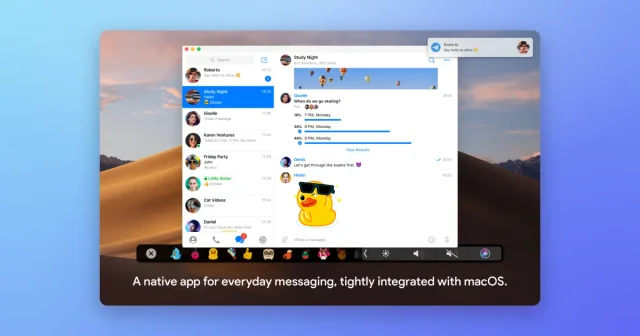
 TelegramA fast, native Mac client for Telegram chats, groups, and channels.Freemium
 - MacWhisper

 MacWhisperTranscribes audio and video on the Mac, without uploading it.Freemium
 - Spark Mail
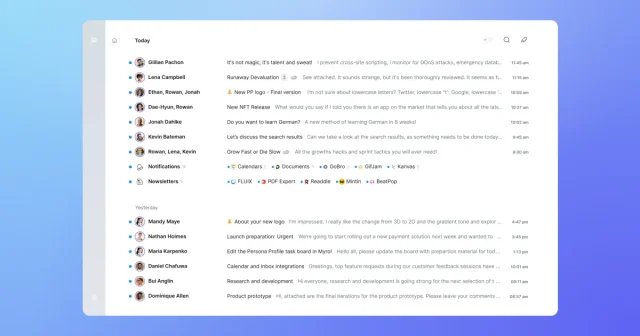
 Spark MailAn email client with a smart inbox, a calendar and team inboxes built in.Freemium
 - MumbleFlow
 MumbleFlowLocal Mac dictation with Oat meeting notes and cited searchPaid
 - Muse

 MuseMeta's personal AI agent that gets things done on your Mac.Freemium
 - Kaset
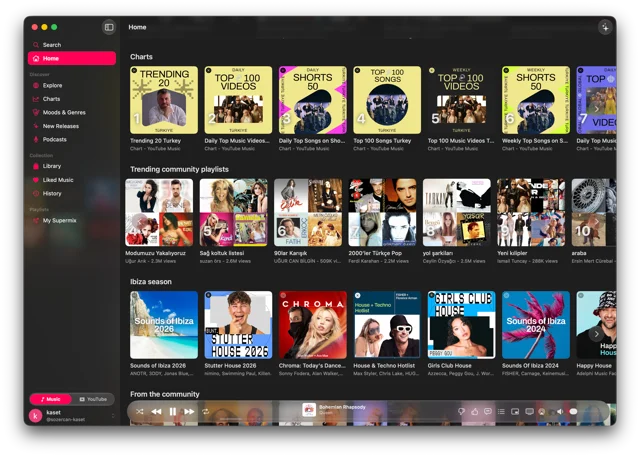
 KasetNative Mac app for YouTube Music and YouTube.Free
 - Hyperduck
 HyperduckSends a link from an iPhone or iPad straight to the Mac.Paid