
Developer Tools
DS_Store Inspector
Opens the .DS_Store files macOS hides in every folder.
FreeFree on the Mac App Store.macOS

About
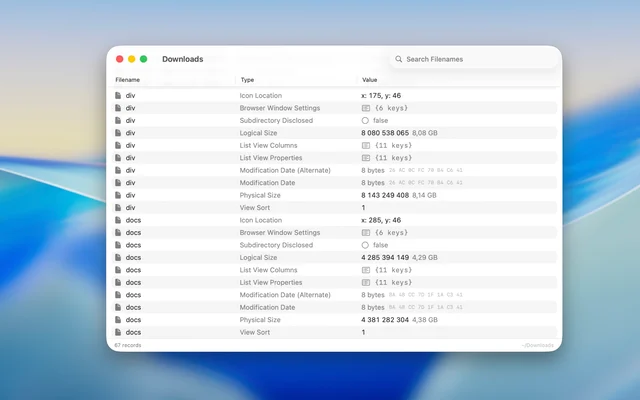
Every folder macOS touches gets a .DS_Store file, and DS_Store Inspector shows you what is inside one: which icon the folder was given, how its contents are arranged, and where the window was last left. It is a read-only viewer, so looking costs nothing and changes nothing. Useful when a folder keeps behaving oddly or a build is shipping files it should not.
- Price
- Free, Free on the Mac App Store.
- Platforms
- macOS
- Category
- Developer Tools
Featured badge
Make DS_Store Inspector yours: show the badge on its site and the listing marks itself as linked back.

HTML
<a href="https://macgrove.app/apps/ds-store-inspector">
  <img src="https://macgrove.app/badge/ds-store-inspector.svg" alt="Featured on MacGrove" width="334" height="32" />
</a>
Markdown
[](https://macgrove.app/apps/ds-store-inspector)Similar apps
- Find Any File
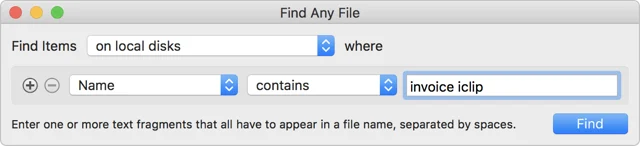
 Find Any FileSearches the places Spotlight will not show you.Paid
 - Icon Preview
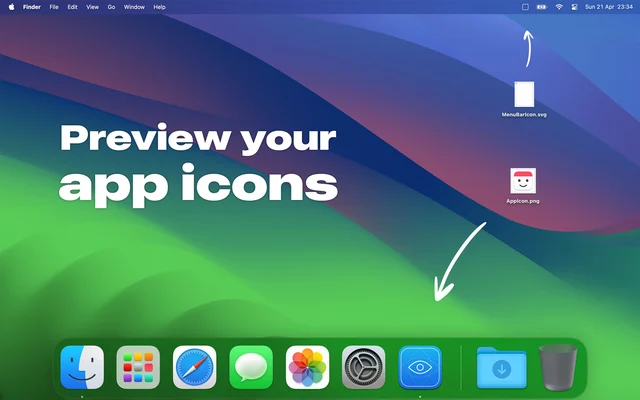
 Icon PreviewPreviews an app icon in every size macOS will ask for.Free
 - Folder Peek

 Folder PeekPuts a folder in the menu bar, opened as a menu.Paid
 - Folder Hub

 Folder HubOpens a file browser right where your pointer already is.Freemium
 - Ice

 IceMenu bar manager that hides, reveals and reorganises the icons you do not need.FreeWinding down
 - Sensitivity

 SensitivityFind explicit photos and videos you forgot about, scanned privately on your Mac.Freemium
 - SpaceWise

 SpaceWiseUnderstand Mac storage before you cleanFree
 - Pasteboard Viewer

 Pasteboard ViewerShows everything currently sitting on the system pasteboards.Free