CodeIsland
v1.0.40, released this weekLive status of your AI coding agents in the MacBook notch.
FreeOpen sourceFree, no paid tier; free iPhone and Apple Watch companionmacOSUpdated 3 days ago
About
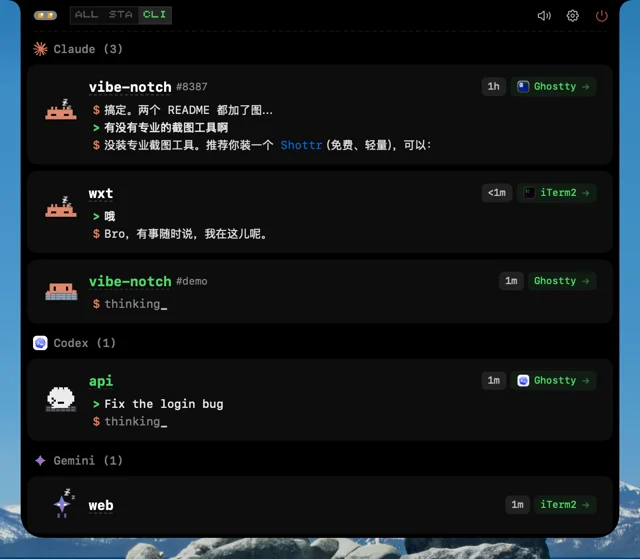
CodeIsland turns the MacBook notch into a live panel for AI coding agents such as Claude Code, Codex, Gemini CLI, Cursor, OpenCode and Copilot. It installs small hooks into each tool and shows active sessions, tool calls and replies as they happen, with a pixel-art mascot for every agent. You can approve or deny permission requests and answer agent questions from the panel, or click a session to jump back to its terminal tab or editor window. Optional 8-bit sounds, multi-display support and free iPhone and Apple Watch companions round it out. Needs macOS 14 or later.
- Price
- Free, Free, no paid tier; free iPhone and Apple Watch companion
- License
- MIT
- Version
- 1.0.40 · Oct 23, 2026
- Platforms
- macOS
- Category
- Notch Apps
Featured badge
Make CodeIsland yours: show the badge on its site and the listing marks itself as linked back.

<a href="https://macgrove.app/apps/codeisland">
  <img src="https://macgrove.app/badge/codeisland.svg" alt="Featured on MacGrove" width="275" height="32" />
</a>[](https://macgrove.app/apps/codeisland)What’s new
All 25 releases1.0.40Latest · 3 days ago
English
Important
- Only you approve a request. When an agent's activity suggested that a pending approval had been answered in the terminal, CodeIsland answered it "allow", on any tool step in the same session from any agent. Claude Code's and Codex's approvals carry no id and subagents share their parent's session, so a subagent reading a file could approve the parent's pending command. A request CodeIsland drops on its own is now answered with no decision, so the agent asks in its own prompt, and it counts as stale only on a step from the same agent with the same tool and input. A session ending, a hook going away or a replaced request no longer answers "deny" for you either, and requests are matched to their own card, so another host can't answer a local one by its id. A request too large for the island to read (over 10 MB) is left to its agent as well, instead of being denied
- iPhone Buddy can't answer requests for now. The Mac accepted every iPhone Buddy that found it without checking which device it was, so any nearby device running the app could approve, deny or answer a pending request. Until Buddy can pair with the Mac it still shows your sessions but can't answer for you; Settings → iPhone Buddy says so
- A second CodeIsland quits instead of taking over. Launching another copy while one was running took the hook socket away from the first. The second copy now quits; to run a development build alongside, give it its own CODEISLAND_SOCKET_PATH (scripts/dev-hot-restart.sh --socket-path …). That script now stops only the build it started, never the installed app
Security
Earlier
1.0.39Releases ship the code they list again. v1.0.36, v1.0.37 and v1.0.38 carried v1.0.35's app and hook bridge under new version numbers. After the build Mac moved to Xcode 27, SwiftPM's new default build system wrote its products to .build/out/Products/Release, while the release script kept copying from .build/<arch>-apple-macosx/release, where the v1.0.35 build still sat. Everything those three releases list arrives with this one. The release script now pins SwiftPM's native build system (the new one also writes both architectures to the same folder, so the second overwrote the first, and records the 14.0 deployment target as the SDK, which runs AppKit in its old-SDK compatibility mode), asks SwiftPM where the products are (#379, thanks @Naitellos), deletes the previous ones before building and refuses a binary with the wrong architecture or SDK
English
Important: v1.0.36 to v1.0.38 contained v1.0.35's app
- Releases ship the code they list again. v1.0.36, v1.0.37 and v1.0.38 carried v1.0.35's app and hook bridge under new version numbers. After the build Mac moved to Xcode 27, SwiftPM's new default build system wrote its products to .build/out/Products/Release, while the release script kept copying from .build/<arch>-apple-macosx/release, where the v1.0.35 build still sat. Everything those three releases list arrives with this one. The release script now pins SwiftPM's native build system (the new one also writes both architectures to the same folder, so the second overwrote the first, and records the 14.0 deployment target as the SDK, which runs AppKit in its old-SDK compatibility mode), asks SwiftPM where the products are (#379, thanks @Naitellos), deletes the previous ones before building and refuses a binary with the wrong architecture or SDK
That includes MiniMax Code and Xiaomi MiMo support, the redesigned session list, approval and question cards, Claude plan limits on the collapsed island, Hermes prompts and titles, and every fix in those three releases. See the changelog for the full list.
Fixes
- Remote hosts reconnect after the Mac wakes. An SSH host only retried after its tunnel dropped, 10 times with growing gaps, then gave up for good, and nothing listened for wake or the network. With the lid closed every attempt failed at once and each dark wake fired the next overdue one, so a long sleep used them all up and the host stayed down until you clicked Connect. Waking up (including the displays coming on after Power Nap) or the network coming back now reconnects every host you still want connected, with a fresh backoff and a short wait for Wi-Fi; offline, a failure waits for the network instead of using up an attempt; after the fast retries it keeps trying every 15 minutes. A host you disconnected stays disconnected, one you connected by hand is restored too, and a failed host that is still retrying shows a Disconnect button. A host that failed slowly no longer retries every few seconds forever, and Disconnect while a connection is being prepared no longer leaves an ssh tunnel running (#375, thanks @KingsleyCl)
- Cursor sessions show as Cursor, not Claude. Cursor also runs the Claude Code hooks in ~/.claude/settings.json ("Include third-party Plugins, Skills, and other configs", on by default), with its own payload. CodeIsland's Claude hook carries no --source, and Cursor's processes are never used to guess a source, so those events, most of a Cursor agent's tool activity, landed on cards labelled Claude. A payload carrying cursor_version now counts as Cursor's own (Cursor CLI under cursor-agent), locally and over Remote-SSH; Claude Code itself running inside Cursor stays Claude. A prompt or finished turn that reaches both of CodeIsland's hooks rings once instead of twice, cards already saved as Claude switch on their next event, Cursor Task cards still fold under their chat, and a hook Cursor runs never waits on the island or answers in a format Cursor can't use (#377, thanks @4pure)
- Only the session you started rings when pi or Oh My Pi subagents finish. pi-subagents runs each background child as a pi session of its own that loads the same CodeIsland extension, and Oh My Pi loads it into every task subagent, so each child got a card and rang the completion sound: one parent with two children chimed three times. The extensions (pi v5, Oh My Pi v9) now tell CodeIsland which session a child works for (_parent_session_id, which any agent can send), and Agent Sub-Sessions applies to them: Show separately keeps each child on its own card that never chimes, pops a completion card or sends a push; Merge into main folds it into the parent's card as a subagent; Hide hides it. A child's approvals and questions still alert you and are never answered automatically. A subagent compacting its context no longer shows its parent card as Compacting. Restart pi or Oh My Pi (or /reload) after updating (#378, thanks @uniStark)
- Clicking a Codex or Claude Code card in tmux lands on its own pane. Several Codex sessions started from one shared background process all inherited the pane that process started in, so clicking any of them switched to the same pane. CodeIsland now finds the pane each session really runs in from the process tree, matches a session that shares a process by its pane's title and folder, and when the hook's pane is known to be another session's and nothing else matches, brings the terminal forward without switching panes instead of guessing. When a pane can't be checked at all (several clients, a detached session, tmux not answering) the hook's pane is used as before. A Codex CLI session no longer opens Codex.app just because the desktop app is running, Claude Code sessions missing terminal info pick up their Ghostty/tmux details from their process, and Settings… (⌘,) or reopening the app shows the real settings window instead of a blank one (#373, thanks @cynicalight)
- Codex app-servers started by ChatGPT's bundled tools keep their CLI identity. A codex app-server started by one of ChatGPT's bundled tool hosts (such as Contents/Resources/cua_node/bin/node_repl) shares ChatGPT's bundle id, so it was taken for Desktop's shared app-server and its threads were keyed as Desktop threads. Only an app-server whose parent is the app's own executable in Contents/MacOS counts as Desktop now (#372, thanks @burgerseater)
Performance
- The island stays responsive with many Claude sessions open. With Agent Sub-Sessions set to Merge into main or Hide, every hook event and discovery scan walked all of ~/.cursor/projects on the main thread once per Claude card, looking for a Cursor Task transcript with that card's id. With a large Cursor history that took most of the main thread (80% of samples with 18 cards), and hovering or expanding the island stuttered. The lookup now reads an index built in the background, each card is looked up at most five times in its first two minutes, and remote cards and Show separately never walk at all. Session discovery also lists each Claude project folder once per scan instead of reading every transcript's date once per Claude process (#374, thanks @x4vierli)
中文
重要:v1.0.36 至 v1.0.38 实际装的是 v1.0.35
- 发布包重新装着它列出的代码。 v1.0.36、v1.0.37、v1.0.38 实际装的是 v1.0.35 的主程序和 hook 桥接程序,只换了版本号。构建机升级到 Xcode 27 后,SwiftPM 新的默认构建系统把产物写到 .build/out/Products/Release,发版脚本却仍从 .build/<架构>-apple-macosx/release 复制,那里一直放着 v1.0.35 的构建结果。这三个版本列出的改动都随本版本一起送达。发版脚本现在固定使用 SwiftPM 的 native 构建系统(新构建系统还会把两个架构写进同一个目录,后编译的覆盖先编译的,并把 14.0 的部署目标记成 SDK 版本,让 AppKit 以旧 SDK 兼容模式运行),向 SwiftPM 询问产物位置(#379,感谢 @Naitellos),构建前删除旧产物,架构或 SDK 不对的二进制拒绝打包
其中包括 MiniMax Code 和小米 MiMo 支持、重新设计的会话列表与审批/提问卡片、收起状态下的 Claude 用量额度、Hermes 的提示和标题,以及这三个版本里的所有修复。完整列表见更新日志。
修复
- Mac 唤醒后,远程主机会自动重连。 以前 SSH 主机只在隧道断开后按递增间隔重试 10 次,之后就永久放弃,也不监听唤醒和网络变化。合盖时每次重试都会立刻失败,每次 DarkWake 又会触发下一次到期的重试,睡得久了 10 次用完,主机就一直断着,直到手动点「连接」。现在系统唤醒(包括 Power Nap 之后屏幕点亮)或网络恢复时,会对仍需保持连接的主机重置退避并重连,并稍等 Wi‑Fi 就绪;离线时失败会等网络恢复,不消耗重试次数;快速重试用完后每 15 分钟再试一次。手动断开的主机保持断开,手动连上的主机唤醒后也会恢复,仍在重试的失败主机会多出「断开」按钮。连接很慢才失败的主机不再每隔几秒无限重试,在连接准备阶段点「断开」也不会再留下运行中的 ssh 隧道(#375,感谢 @KingsleyCl)
- Cursor 的会话显示为 Cursor,不再是 Claude。 Cursor 也会运行 ~/.claude/settings.json 里的 Claude Code hooks(「Include third-party Plugins, Skills, and other configs」,默认开启),传的是 Cursor 自己的 payload。CodeIsland 的 Claude hook 不带 --source,Cursor 的进程又不参与来源推断,于是这些事件(Cursor agent 的大部分工具调用)都落到了标成 Claude 的卡片上。现在带 cursor_version 的 payload 算作 Cursor 自己的事件(在 cursor-agent 下算 Cursor CLI),本机和 Remote-SSH 都一样;在 Cursor 里运行的 Claude Code 本身仍是 Claude。同一个提示或回合结束同时触发 CodeIsland 的两个 hook 时只响一次,不再响两次;已存成 Claude 的卡片在下一个事件到达时自动改过来;Cursor 的子任务卡片仍会折叠到所属对话下;Cursor 运行的 hook 不会等待灵动岛审批,也不会输出 Cursor 无法识别的答复(#377,感谢 @4pure)
- pi 和 Oh My Pi 的子代理完成时,只有你自己启动的会话会响。 pi-subagents 把每个后台子代理作为独立的 pi 会话运行,加载的是同一个 CodeIsland 扩展;Oh My Pi 也会把扩展加载进每个任务子代理。于是每个子代理都有自己的卡片,各响一次完成提示音:一个父会话带两个子代理会响三次。现在扩展(pi v5、Oh My Pi v9)会告诉 CodeIsland 子代理属于哪个会话(_parent_session_id,其他 agent 也可以发送),「Agent 子会话」设置也对它们生效:「独立显示」时子代理保留自己的卡片,但不响铃、不弹完成卡片、不推送;「合并到主会话」时并入父卡片,作为子任务显示;「隐藏」时不显示。子代理的审批和提问仍会提醒,也不会被自动批准。子代理压缩上下文时,父卡片也不再显示「Compacting」。更新后需重启 pi 或 Oh My Pi(或执行 /reload)(#378,感谢 @uniStark)
- 在 tmux 里点 Codex 或 Claude Code 的卡片,会跳到它自己的 pane。 从同一个后台进程启动的多个 Codex 会话,都继承了这个进程最初所在的 pane,点哪张卡都切到同一个 pane。现在按进程树找到每个会话实际所在的 pane;共享进程的会话按 pane 的标题和目录匹配;如果确定 hook 给的 pane 属于别的会话、又找不到唯一匹配,就只把终端提到前台,不再猜。完全无法验证时(多个 client、session 已 detach、tmux 没有响应)照旧使用 hook 的 pane。Codex 桌面版开着时,点命令行会话不会再打开 Codex.app;缺少终端信息的 Claude Code 会话会从进程里补全 Ghostty/tmux 信息;按 ⌘, 或「设置...」、以及重新打开 app,都会显示真正的设置窗口,不再出现空白窗口(#373,感谢 @cynicalight)
- ChatGPT 内置工具启动的 Codex app-server 保持命令行身份。 ChatGPT 内置工具(例如 Contents/Resources/cua_node/bin/node_repl)启动的 codex app-server 和 ChatGPT 共用同一个 bundle id,之前被当成桌面版共享的 app-server,它的对话被算作桌面版对话。现在只有父进程是 App 自己 Contents/MacOS 里的可执行文件时,才算桌面版(#372,感谢 @burgerseater)
性能
- 开着很多 Claude 会话时,刘海不再卡顿。 「Agent 子会话」设为合并到主会话或隐藏时,每个 hook 事件和每次会话发现扫描,都会为每张 Claude 卡在主线程上遍历一遍 ~/.cursor/projects,查找对应 id 的 Cursor Task 记录。Cursor 历史多时,主线程大部分时间耗在这里(18 张卡时 80% 的采样),悬停和展开刘海明显卡顿。现在改为查后台建好的索引,每张卡只在头两分钟里最多查五次,远程卡片和「独立显示」模式完全不遍历。会话发现也改为每轮扫描每个 Claude 项目目录只列一次,不再为每个 Claude 进程逐个读取 transcript 的修改时间(#374,感谢 @x4vierli)
1.0.38Codex Desktop threads show up again on current ChatGPT builds. Newer ChatGPT releases moved Codex's binary from ChatGPT.app/Contents/Resources/codex to Contents/Resources/codex-cli/CodexCLI.app/Contents/MacOS/codex, and CodeIsland only knew the old place. Its process scan never found Desktop's app-server, so Desktop threads were never read from Codex's state database, and the live app-server connection could not start (it retried every 10 seconds while ChatGPT ran). Both now find the new binary. Because the same file also runs Codex CLI, discovery tells the two apart by what the process runs and who started it: the app-server ChatGPT starts is Desktop; ChatGPT's cloud exec-server, one-shot commands like login, and CodeIsland's own app-server connection are skipped; a terminal session or the app-server Claude Code's Codex plugin starts is a CLI session
English
Fixes
- Codex Desktop threads show up again on current ChatGPT builds. Newer ChatGPT releases moved Codex's binary from ChatGPT.app/Contents/Resources/codex to Contents/Resources/codex-cli/CodexCLI.app/Contents/MacOS/codex, and CodeIsland only knew the old place. Its process scan never found Desktop's app-server, so Desktop threads were never read from Codex's state database, and the live app-server connection could not start (it retried every 10 seconds while ChatGPT ran). Both now find the new binary. Because the same file also runs Codex CLI, discovery tells the two apart by what the process runs and who started it: the app-server ChatGPT starts is Desktop; ChatGPT's cloud exec-server, one-shot commands like login, and CodeIsland's own app-server connection are skipped; a terminal session or the app-server Claude Code's Codex plugin starts is a CLI session
中文
修复
- 新版 ChatGPT 下,Codex 桌面版对话重新显示在刘海上。 新版 ChatGPT 把 Codex 程序从 ChatGPT.app/Contents/Resources/codex 挪到了 Contents/Resources/codex-cli/CodexCLI.app/Contents/MacOS/codex,CodeIsland 只认旧位置:进程扫描找不到桌面版的 app-server,于是从不读 Codex 状态库里的桌面版对话;和 app-server 的实时连接也起不来(ChatGPT 运行期间每 10 秒重试一次)。现在两处都能找到新位置的程序。由于终端里的 Codex 用的也是这个程序,发现流程按进程在跑什么、由谁启动来区分:ChatGPT 启动的 app-server 是桌面版;ChatGPT 的云端 exec-server、login 这类一次性命令,以及 CodeIsland 自己的 app-server 连接都会跳过;终端会话和 Claude Code 的 Codex 插件起的 app-server 按命令行会话处理
1.0.37One card per Codex conversation with ChatGPT Desktop open. Two cases showed the same Codex conversation twice. A Codex task started from Claude Code's Codex plugin (/codex:rescue) runs its own codex app-server, whose transcript carries the same source as a Desktop thread; it was taken for one and got a second, Desktop-badged card. Transcripts now count as Desktop only when their originator is Desktop's, so the plugin's tasks (and the threads they spawn) stay on the card their hooks build. Separately, newer ChatGPT builds start Codex's app-server from ChatGPT.app/Contents/Resources/codex-cli/ without a bundle id in its environment, so Desktop threads' hooks were keyed as CLI sessions next to the Desktop card. The bridge now recognises a Codex process running app-server directly under ChatGPT and marks its hooks as Desktop; terminal Codex and the plugin's app-server, which use the same binary, are unaffected. With Plugin Sub-Sessions merged, a Desktop thread's own hooks are no longer folded into another thread as its sub-session. Thanks @Junyu06
English
Fixes
- One card per Codex conversation with ChatGPT Desktop open. Two cases showed the same Codex conversation twice. A Codex task started from Claude Code's Codex plugin (/codex:rescue) runs its own codex app-server, whose transcript carries the same source as a Desktop thread; it was taken for one and got a second, Desktop-badged card. Transcripts now count as Desktop only when their originator is Desktop's, so the plugin's tasks (and the threads they spawn) stay on the card their hooks build. Separately, newer ChatGPT builds start Codex's app-server from ChatGPT.app/Contents/Resources/codex-cli/ without a bundle id in its environment, so Desktop threads' hooks were keyed as CLI sessions next to the Desktop card. The bridge now recognises a Codex process running app-server directly under ChatGPT and marks its hooks as Desktop; terminal Codex and the plugin's app-server, which use the same binary, are unaffected. With Plugin Sub-Sessions merged, a Desktop thread's own hooks are no longer folded into another thread as its sub-session. Thanks @Junyu06
中文
修复
- 开着 ChatGPT 桌面版时,一个 Codex 对话只显示一张卡。 有两种情况会让同一个 Codex 对话出现两张卡。一是在 Claude Code 里用 Codex 插件(/codex:rescue)起的任务:插件自己起一个 codex app-server,对话记录里的 source 和桌面版一样,于是被当成桌面版对话,多出一张带桌面版标记的卡。现在只有 originator 是桌面版的对话记录才算桌面版,插件的任务(以及它派生的子任务)留在 hook 建的那张卡上(#368、#369)。二是新版 ChatGPT 从 ChatGPT.app/Contents/Resources/codex-cli/ 启动 Codex 的 app-server,环境变量里没有 bundle id,桌面版对话的 hook 被当成命令行会话,和桌面版那张卡并排出现。现在桥接程序发现 Codex 进程在跑 app-server 且父进程就是 ChatGPT 时,把它的 hook 标为桌面版;终端里的 Codex 和插件起的 app-server 用的是同一个程序,不受影响。「插件子会话」设为合并时,桌面版对话自己的 hook 也不会再被当成别的对话的子会话吞掉(#370、#371)。感谢 @Junyu06
- Source
- GitHub releases
- Last checked
Similar apps
- Alcove
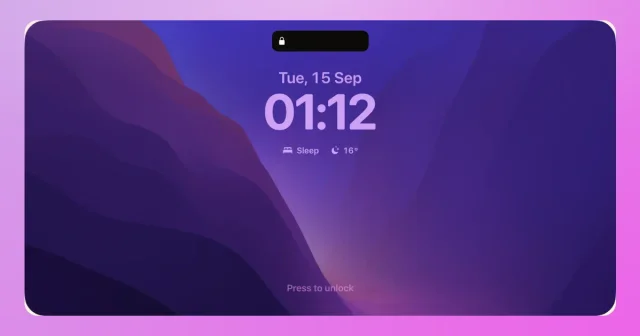
 AlcoveA Dynamic Island for the MacBook notch, with live activities and swipe gestures.Paid
 - CryptoIsland
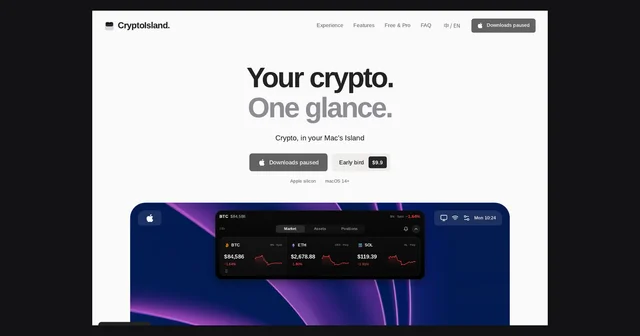
 CryptoIslandFree crypto prices in your Mac notch for Binance, OKX and HyperliquidFreemium
 - Gojo
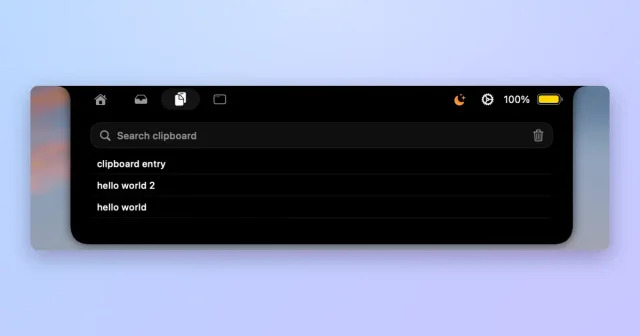
 GojoNotch hub for local dictation, clipboard history, window snapping and files.Paid
 - NotchNook
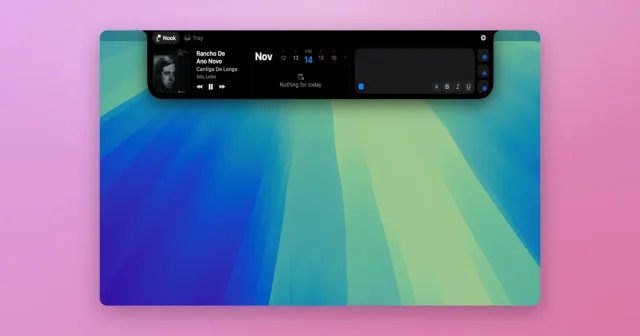
 NotchNookWidgets, a file tray, and live activities tucked into the MacBook notch.Paid
 - Codenotch
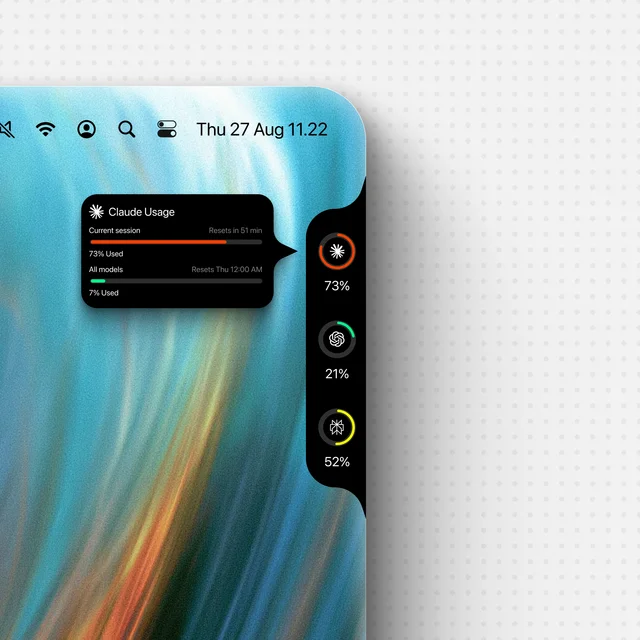
 CodenotchUsage limits for your coding agents, pinned to the screen edge.Free
 - Boring Notch
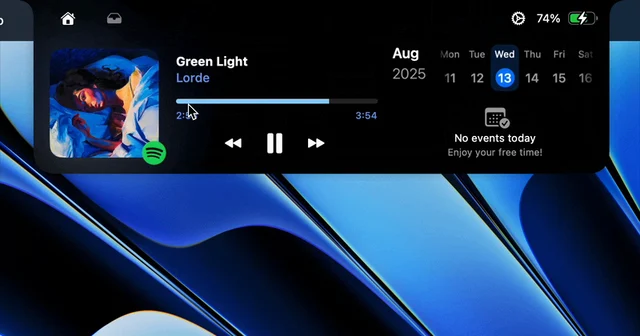
 Boring NotchTurns the MacBook notch into a music controller.Free
 - MediaMate
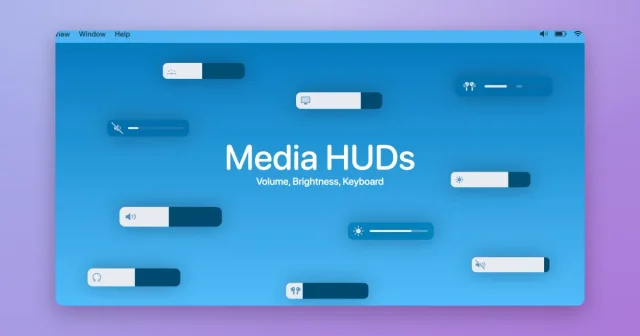
 MediaMateDynamic Island-style HUDs around the MacBook notch for music, volume, and brightness.Paid
 - Seam
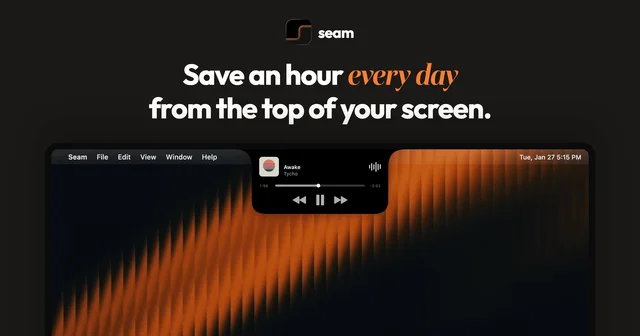
 SeamTurns the MacBook notch into a strip for menus and controls.Paid