darktable
v5.6.2A free, open-source darkroom and RAW workflow for photographers.
FreeOpen sourceFree and open source under the GPL-3.0.macOSUpdated 22 days ago
About
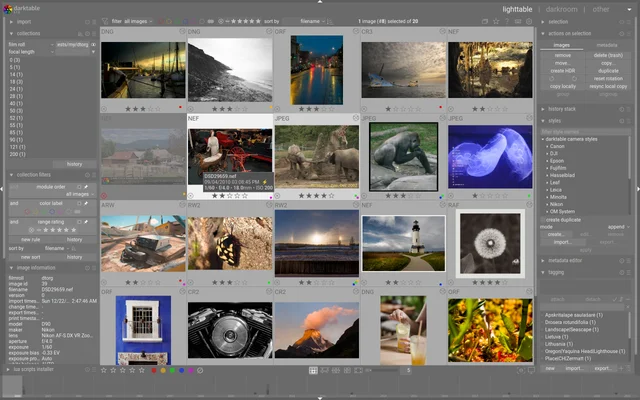
darktable is a photography workflow application rather than a pixel editor: RAW files are imported, developed non-destructively, tagged and exported, with the original untouched throughout. Colour management is taken seriously, profiles map to the camera, and the pipeline is visible and adjustable. It is a professional tool with no price and no subscription.
- Price
- Free, Free and open source under the GPL-3.0.
- License
- GPL-3.0
- Version
- 5.6.2 · Oct 4, 2026
- Platforms
- macOS
- Category
- Photography
Featured badge
Make darktable yours: show the badge on its site and the listing marks itself as linked back.

<a href="https://macgrove.app/apps/darktable">
  <img src="https://macgrove.app/badge/darktable.svg" alt="Featured on MacGrove" width="262" height="32" />
</a>[](https://macgrove.app/apps/darktable)What’s new
All 20 releases5.6.2Latest · 22 days ago
We're proud to announce the bug-fix release of darktable, 5.6.2!
The github release is here: https://github.com/darktable-org/darktable/releases/tag/release-5.6.2.
To build from source, do not use the autogenerated tarball provided by GitHub on the release page, download our tar.xz file instead. If you're just building for yourself without creating a package for some distribution, then using source code cloning in git is an even more convenient way.
The checksums are:
$ sha256sum darktable-5.6.2.tar.xz d2da92c670401d350b576431f21e58bee40348e1f5078201a8a1b8c270585834 darktable-5.6.2.tar.xz
$ sha256sum darktable-5.6.2-x86_64.AppImage 4b0d1c737a2a18c7d8afb81aa3daaf25930bbe541dda98e6354dabd5c2e4dc36 Darktable-5.6.2-x86_64.AppImage
Earlier
5.6.1We're proud to announce the bug-fix release of darktable, 5.6.1!
We're proud to announce the bug-fix release of darktable, 5.6.1!
The github release is here: https://github.com/darktable-org/darktable/releases/tag/release-5.6.1.
To build from source, do not use the autogenerated tarball provided by GitHub on the release page, download our tar.xz file instead. If you're just building for yourself without creating a package for some distribution, then using source code cloning in git is an even more convenient way.
The checksums are:
$ sha256sum darktable-5.6.1.tar.xz e8b84ac98b0b689a244e4036c4b56394c1d58ce2d9abc05e0a060ef9f756dc36 darktable-5.6.1.tar.xz
$ sha256sum darktable-5.6.1-x86_64.AppImage 867ba61fca41d614e6650fd92d6e7968d8c56a1d1dd2bbc3aa06b52508694ed6 Darktable-5.6.1-x86_64.AppImage
$ sha256sum darktable-5.6.1-aarch64.AppImage 87088ada0a614c2c61c6bc663249388fe9e1d4b57689de3a5fd98c7af348d75d Darktable-5.6.1-aarch64.AppImage
$ sha256sum darktable-5.6.1-x86_64.dmg ab09e11d548a7028f7bacc2bc4549a272c4e8d385be0e38ecc9e7943914abe61 darktable-5.6.1-x86_64.dmg
$ sha256sum darktable-5.6.1-arm64.dmg 155c25a48e06023eeeda3640f6f4fc7848bc1ad8e7384ba1d7b63098986fbeda darktable-5.6.1-arm64.dmg
$ sha256sum darktable-5.6.1-win64.exe bb15a8e4d24c21097cfdef0a560920f7fa0c05dec93482448dd538f2be02d6c4 darktable-5.6.1-win64.exe
$ sha256sum darktable-5.6.1-woa64.exe b215de036ac2b5a7a1a5eaa98c4bd4e4d8b40a8d403e195d923c7541611f2e26 darktable-5.6.1-woa64.exe
When updating from the stable 5.4 series, please bear in mind that your edits will be preserved during this process, but the new library and configuration will no longer be usable with 5.4.
You are strongly advised to take a backup first.
**Important note: to make sure that darktable can keep on supporting the raw file format for your camera, *please* read this post on how/what raw samples you can contribute to ensure that we have the *full* raw sample set for your camera under CC0 license!**
Since darktable 5.6.0:
- 150 commits to darktable+rawspeed
- 100 pull requests handled
- 8 issues closed
_Please note that the darktable documentation is not currently complete for release 5.6 and contributions are greatly appreciated. Please see the project documentation for more information on how to contribute._
The following is a summary of the main features added to darktable 5.6.1. Please see the user manual for more details of the individual changes (where available).
- N/A
- N/A
- Reverted increased preview pipe dimension for UI performance.
- AI model downloads now resume after an interruption and retry on
transient network errors instead of starting over.
- AI raw denoise now refuses legacy Fujifilm Super CCD sensors, whose
sensor layout the models were not trained for.
- Color labels, ratings and manually applied geotags are now copied to
images created by AI denoise and upscale, in addition to EXIF data and tags.
- The manual has seen a lot of attention this cycle: the documentation
is up to date again, and translations are flowing once more via Weblate.
- We've also expanded the docs on how dtdocs itself is set up and maintained, making it easier for new contributors to [get
involved](https://docs.darktable.org/usermanual/development/en/contributing/workflow/). If you find room for improvement, you are welcome to open an issue, post to pixls.us, or submit a PR yourself.
- Fixed a bug that left OpenCL AMD devices disabled on Windows
systems.
- Fixed a bug in demosaic module resulting from bad green
equilibration data.
- Fixed a bug preventing the tether mode to connect when using a non
English UI.
- Fixed an out-of-bounds read in wavelet decomposition that could
occasionally crash darktable when generating previews.
- Fixed an out-of-bounds write in path masks that could lead to
crashes when two nodes overlapped exactly.
- Fixed a bug in the retouch module that would prevent cache
invalidation after shape changes when blending is active.
- Fixed an out-of-bounds read in the code responsible for raster
mask caching.
- Fixed a possible crash when applying .cube, .3dl, or compressed
GMIC 3D LUTs.
- Enforce darktable loading screen on windows systems to avoid
darkroom refreshing issues.
- Fixed a bug in CPU opposed highlights code that could lead to out of
memory crashes.
- Fixed a crash on Windows when auto-detecting an incompatible ONNX
Runtime library, or when reopening preferences after configuring one.
- Fixed the preferences dialog blocking when opened on a slow or
unreachable network. The AI model update check now runs in the background.
- Fixed a crash in neural restore raw denoise on raws where the
visible area extends to the sensor edge, e.g. some phone tele-lens DNGs.
- Fixed the "add to the current collection" checkbox in neural
restore being ignored when the global "ignore non-raw images" import filter is enabled.
- Fixed neural restore writing past the CFA buffer on 4-Bayer
sensors (CYGM, RGBE). Output is now a Linear DNG.
- Fixed Sony embedded lens-correction tags being stripped from
exported TIFF and DNG files. Re-imported files now offer the "embedded metadata" lens-correction mode again.
- Fixed a crash and white cast in neural restore preview on
LINEAR-class images (Apple ProRAW, computational raws).
- Fixed sRaw images being rejected as unsupported by neural
restore. They now route through the LINEAR pipeline.
- Fixed wrong blue colors for 16bit png exports.
- Fixed some subtle segment issues in highlights segmentation mode.
- Fixed two-finger scrolling falling through to zoom when drawing masks,
scrolling now pans unless the active mask consumes the gesture.
- Fix feather rendering on path masks whose control points coincide
with their corners; previously produced wildly displaced border lines instead of a proper offset outline.
- Fixed the on-screen rating message showing the wrong value when
rating multiple images at once (for example, clearing 1-star still reported rating 1).
- Fixed a bug leading to subtle color errors after history changes.
- Fixed lighttable full preview jumping to the first image when
rejecting with filmstrip auto-scroll disabled and the collection filtered to hide rejected images.
- Fixed the image index and filmstrip selection in culling mode not
updating when navigating with the arrow keys.
- Fixed lighttable filemanager scrolling to the top when assigning
a star rating or color label while the first row was only partly visible.
- Fixed calculation of pixelpipe cache payloads while preparing the
cache and while checking for requested tiling thus reducing oom kills on small systems.
- Fixed possible over-allocations of OpenCL memory that could lead to
instabilities or dt crashing on small devices
- Fixed corrupted pixels on some AMD GPUs using the Mesa rusticl OpenCL
driver. Colorspace conversions, the lookup table module and the contrast equalizer no longer read from and write to the same image buffer on the GPU, which the OpenCL specification leaves undefined.
- Fixed the AppImage defaulting to x11/Xwayland in native Wayland
sessions.
- Fixed masks being altered by modules blending.
- Ignore possible OpenCL null events (uninitialized) due to hard
memory pressure.
- Fixed performance drop due to larger mipmaps being used. This has
been reviewed to ensure the performance is back to usable on small systems.
- Fixed distortion of one out of every four pixels in JPEG 2000 images
with YCbCr 4:2:0 subsampling.
- Fixed a bug where drawn path masks with many nodes rendered a
chaotic feather line instead of following the mask outline.
- Fixed a crash when switching the lens correction method from
embedded metadata to Lensfun and back.
- Fixed the AI raw denoise preview showing a different area than the
one selected on cropped images, and the area picker remaining unavailable until darktable was restarted.
API Version
- N/A
New Features
- N/A
Bug Fixes
- Stop script_manager from starting twice and causing a stack overflow.
- Change to user installed scripts directory before updating.
- Execute user luarc file in all cases.
New Scripts
- N/A
Other Lua changes
- N/A
- When exporting to AVIF, EXR, JPEG XL, or XCF, selecting specific
metadata (e.g. geo-tag or creator) is not currently possible. For AVIF, EXR, JPEG XL, and XCF formats, darktable will not include any metadata fields unless the user selects all of the checkboxes in the export module's preference options.
- Starting with release 5.4, macOS versions older than 14.0 are no
longer supported on Apple Silicon Macs, nor older than macOS 15 on Intel Macs.
Mandatory
- N/A
Optional
- N/A
Base Support
- N/A
White Balance Presets
- N/A
Noise Profiles
- N/A
Missing Compression Mode Support
- Apple ProRAW DNGs
- CinemaDNG lossless (Blackmagic, some DJI, etc.) and lossy (Blackmagic)
- DNG 1.7 using JPEG XL (Adobe enhanced, Samsung Expert RAW)
- Fujifilm lossy RAFs
- Nikon high efficiency NEFs
- Phase One other than IIQ L
- Sony ARW 4.0/5.0 downsized lossless ("M" for full-frame, "S" for full-frame & APS-C)
- Sony ARW 6.0 compressed and compressed (HQ)
Suspended Support
Support for the following cameras is suspended because no samples are available on https://raw.pixls.us:
- Creo/Leaf Aptus 22(LF3779)/Hasselblad H1
- Fujifilm IS-1
- Kodak EasyShare Z980
- Leaf Aptus-II 5(LI300059)/Mamiya 645 AFD
- Leaf Credo 60
- Leaf Credo 80
- Olympus SP320
- Phase One IQ250
- ST Micro STV680
- Albanian
- Brazilian Portuguese
- Chinese (Simplified)
- Chinese (Traditional)
- Czech
- Dutch
- European Spanish
- Finnish
- French
- German
- Hungarian
- Japanese
- Korean
- Lao
- Norwegian Bokmål
- Polish
- Russian
- Slovenian
- Swedish
- Ukrainian
5.6.0We're proud to announce the new feature release of darktable, 5.6.0!
We're proud to announce the new feature release of darktable, 5.6.0!
The github release is here: https://github.com/darktable-org/darktable/releases/tag/release-5.6.0.
To build from source, do not use the autogenerated tarball provided by GitHub on the release page, download our tar.xz file instead. If you're just building for yourself without creating a package for some distribution, then using source code cloning in git is an even more convenient way.
The checksums are:
$ sha256sum darktable-5.6.0.tar.xz 157d6d3847af8afcabe78944454786f73a886e08a504b4bd6114c2065fe006e4 darktable-5.6.0.tar.xz
$ sha256sum darktable-5.6.0-x86_64.AppImage cbad7bf4be2607e1725db156d73c799d267a79fc29a572c3136a5deb9c9be948 Darktable-5.6.0-x86_64.AppImage
$ sha256sum darktable-5.6.0-aarch64.AppImage 147943bd2eedc33c8d31eb3e6b87b591ac9ca285d00282b2655d8d19caecfca0 Darktable-5.6.0-aarch64.AppImage
$ sha256sum darktable-5.6.0-x86_64.dmg 24c83655af0d81c2f8cb78b97531a03bb6a650349b7fd49c1679080db675cbcb darktable-5.6.0-x86_64.dmg
$ sha256sum darktable-5.6.0-arm64.dmg 49aec447e891ab481e436b4c0231fc3c8d0001aad220762ae8e765d3bda5d102 darktable-5.6.0-arm64.dmg
$ sha256sum darktable-5.6.0-win64.exe b42989195dfff44540c0b767b407987329ca99853612304cbbf14c48d1d3f803 darktable-5.6.0-win64.exe
$ sha256sum darktable-5.6.0-woa64.exe b7737d54d6ee007816ae0a1fad3ca3677588735e1432887a917bc55f818f5268 darktable-5.6.0-woa64.exe
When updating from the stable 5.4 series, please bear in mind that your edits will be preserved during this process, but the new library and configuration will no longer be usable with 5.4.
You are strongly advised to take a backup first.
**Important note: to make sure that darktable can keep on supporting the raw file format for your camera, *please* read this post on how/what raw samples you can contribute to ensure that we have the *full* raw sample set for your camera under CC0 license!**
Since darktable 5.4:
- 1561 commits to darktable+rawspeed
- 705 pull requests handled
- 63 issues closed
_Please note that the darktable documentation is not currently complete for release 5.6 and contributions are greatly appreciated. Please see the project documentation for more information on how to contribute._
The following is a summary of the main features added to darktable 5.6. Please see the user manual for more details of the individual changes (where available).
- Added optional AI subsystem (build with -DUSE_AI=ON). AI features
are disabled by default in preferences and can be enabled at runtime without restarting. When disabled, no ONNX Runtime libraries are loaded and no AI-related activity occurs. Models are downloaded from a configurable repository and managed through the AI preferences tab.
- Added install scripts for Linux and Windows that set up GPU
acceleration for the new AI features. The scripts detect the user's GPU vendor (NVIDIA, AMD or Intel) and install the matching GPU runtime. They can be run from a local checkout or fetched and run online with a single command – see the GPU acceleration page in the user manual for details. macOS users and most Windows users do not need to run anything; GPU acceleration is already bundled.
- Added AI object mask tool in the darkroom mask manager. Uses SAM2.1
or SegNext model for interactive object segmentation – click on an object to generate a precise mask. Supports both foreground and background prompt points with iterative refinement. The encoder runs once per image (GPU-accelerated via the AI backend when available), and the lightweight decoder produces masks interactively. Each click runs iterative refinement passes that tighten the mask, plus an optional DenseCRF refinement pass for clean, edge-aware boundaries. The generated mask can optionally be exported as a PNG for use with the *external raster masks* module when finer edge detail is needed than the vectorized mask provides.
- Added neural restore module in the lighttable/darkroom sidebar
covering three AI-based tasks: raw denoise, denoise, and upscale. Default models: NIND UNet (denoise), RawNIND UtNet2 (raw denoise), and RealPLKSR 2x/4x (super-resolution), all running on the ONNX backend. Additional models such as NAFNet (denoise) and BSRGAN (upscale) are available from the model repository and can be installed manually. Features include an interactive before/after split preview with area picker, a strength slider (DWT-based texture recovery for RGB denoise; linear source/denoised blend for raw denoise), batch processing with tiled inference, and automatic library re-import with image grouping and tag propagation from the source image. Raw denoise writes a DNG (CFA Bayer or LinearRaw); image denoise and upscale write a TIFF embedding the output ICC profile. GPU acceleration is inherited from the AI backend. If GPU inference fails (out of memory, unsupported operator, execution provider crash), darktable automatically retries on CPU.
- Added colorharmonizer module that applies color harmony
corrections in UCS color space, rotating hues toward a target harmony structure (complementary, split-complementary, triadic, tetradic, etc.). The saturation of target hues can be controlled, and custom-defined harmonies with an arbitrary number of anchor nodes at any angle are also supported. Options are provided to control the intensity of the effect, protect neutral colors, and apply a Gaussian filter to smooth harsh transitions. The module can be synced with the vectorscope in RYB mode, with harmony and rotation angles controllable directly from the vectorscope. Both CPU and OpenCL (GPU) implementations are provided.
- Added support for HEIF export. User can choose lossless or lossy
compression, all practically supported color depths (8/10/12 bit), all supported color subsampling options.
- In the crop module, the crop aspect ratio is added to the dimensions
in the crop area preview.
- Added the ability to pin any image from the filmstrip in the second
darkroom window. Images can be pinned directly from the 2nd window, via drag&drop from the filmstrip and via keyboard shortcuts. Two new actions are the added:
- Toggle pinned state for currently developed image
- Pin current image in second view
- Allow switching between point/area color picker directly on canvas
with a simple Ctrl+Click.
- When moving pictures from a collection we switch to the target
collection only if we did not change manually to another collection during the move and the current collection is now empty.
- When copying pictures from a collection we switch to the target
collection only if we did not change manually to another collection during the copy.
- In Color Calibration module the calibration box is now initialized
on the current bounding box. That is, if a zoom is effective the calibration box will be fully visible and won't require to zoom out.
- Make the slider background darker to gain some contrast making them
easier to differentiate from the other labels.
- Introduce a condensed mode for the panel's controls widgets. This
mode is off by default and can be select in miscellaneous interface preference.
- Added a 2-up scope showing both the waveform and vectorscope. This
allows for a simultaneous understanding of both the lightness and chromaticity of an image.
- Support rendering and caching higher resolution (6K or 8K) thumbnail
or full-screen preview images in lighttable view. Previously, for displays larger than a 4K, darktable would render a full-resolution preview then downscale it. These higher resolution previews also allow for less jumpy zooming in of high megapixel files.
- Increase the resolution of the darkroom view's preview-resolution
images from 720x450 to 1440x900. This produces better data for various situations, including in scopes and the color picker.
- Use darktable icon in desktop environment when running under Wayland
on a KDE-like system. Previously the window manager would use a generic icon.
- Use server-side decorations (SSD) for windows when the user's window
manager is capable of this, to make window decorations consistent with other applications. If SSD is not implemented (Gnome/Mutter under Wayland), use client-side decorations (CSD).
- Added a welcome screen to help users understand and set the most
relevant configuration options on the first run.
- Added touchpad gestures to darkroom and lighttable culling layouts,
including pinch zooming and two-finger panning. Smartphone-like simultaneous pinch zooming and two-finger panning are now possible on Linux and Windows. Zooming gestures are limited to 100%, additionally pressing CTRL enables zooming up to 1600%. Caution: this disables the scroll gesture for zooming on MacOS on trackpad and magic mouse. To restore the former behaviour disable touchpad gestures in preferences dialog.
- Enabled shortcuts for some existing buttons in duplicate manager,
snapshots, and AgX modules.
- Enabled shortcuts to cycle through module groups, modules and
module instances.
- Added a configuration option to toggle the filmstrip auto-center
behavior. Enabled shortcuts to toggle filmstrip auto-centering and to explicitly recenter the filmstrip on the current image.
- The radius calculated for capture sharpening is now using only the
central 60% of the image as lenses are mostly sharper here. For xtrans sensors the radius has been slightly increased as images tend to be more blurred.
- The tone equalizer now visualizes an invalid curve (solver maths)
also for old edits.
- Add --library <path> command-line option to darktable-cli that
allows specifying a library.db database file to read image processing history stacks from instead of requiring XMP sidecar files, for people who do not use XMP sidecar files.
- Added display name to the available sort options for film rolls.
- When creating a new workspace from the workspace dialog, settings
can optionally be copied from an existing workspace as a template. The workspace-specific configuration is duplicated with paths, labels, collection history, and similar keys cleared so the new workspace keeps its own library database instead of reusing the source library. The workspace dialog allows selecting a workspace as the default for startup; if one is chosen as default, the dialog is not shown on the next launch until “allow for multiple workspaces” is enabled again in preferences (storage).
- Use native mouse cursors throughout the UI. Cursors such as the
busy spinner, hand, crosshair and resize handles now match the operating system's look, most noticeably on macOS where the busy cursor previously appeared as an old-style wristwatch instead of the familiar spinning wheel.
- Themes can now style expanded modules differently from collapsed
ones, via a new dt_module_expanded CSS class.
- Increased performance for OpenCL guided filter by internal tiling.
- Increased performance of blurs module for both CPU and OpenCL code
paths for large radii, which made it possible to increase Gaussian blur's maximum radius from 128px to 256px.
- Increased performance of overlay (composite) module and added
OpenCL code path.
- Avoid superfluous pixelpipe runs for faster darkroom processing
and when selecting history entries.
- Improvements to mask distort efficiency via incremental caching and
reduced malloc/free cycles.
- Added 2 apertures, f/0.95 and f/1.2, to the aperture section of the
presets dialogue.
- Added Canon Automatic Lighting Optimizer support for CR3-format
images.
- Added PNG support (8/16-bit) for external raster masks.
- Removed Neo Intel and pocl OpenCL drivers from blacklist,
the AMD-APP driver has been added as not supported by AMD for 10yrs.
- RustiCL is the preferred OpenCL driver instead ROCm on AMD systems.
- In the styles module, a new option has been added to hide the
preview in the tooltip. Additionally, a module preference now allows you to change the preview size, with two options available: default and large.
- Improved debugging option --dump-diff-pipe for those of you
interested in OpenCL code and debugging.
- Added the possibility to vectorize the bitmap displayed in the
External Raster Mask module. The vectorized mask is added into the Mask Manager module as a path object ready to be used as any other masks.
- Remove the (unbound by default) keyboard shortcut to cycle through
each histogram mode, and within each mode to cycle through its options. This was a relic of when there were fewer scopes and they were not accessible by shortcuts.
- Increased the limit on the number of offset days in geotagging module
to correct an incorrect camera timestamps from 99 to 9999 days.
- Added a new collection filter for image duplicates.
- The masks in restricted edit mode are now displayed on-canvas as
dashed lines to ensure proper feedback.
- Several improvements to AgX:
- Default hue preservation is now 60% in most presets, reducing
strong hue shifts in bright highlights.
- Default contrast has been increased and toe/shoulder power tuned
to more closely match sigmoid's defaults.
- Added sigmoid-like presets that closely match sigmoid's tone
curve.
- Removed the punchy presets (except for the blender-like variant,
whose parameters still follow Blender's settings).
- Improved the toe/shoulder warning tooltips for clarity.
- The scene-referred preset is no longer applied exclusively to HDR
images.
- Primaries selection is now visible even when "disable adjustments"
is checked.
- For non-raw images with gamma corrected data we do the initial
scaling in linear mode for less artifacts.
- Added a new option to filter images by capture month in collections
and collection filters.
- Exif tags which are added to the metadata editor are now read from
the image file on import. For already imported images this can be performed by an Exif refresh.
- The active preset name is now displayed in the header of suitable
library modules (import, export). This can be turned off in the "miscellaneous" section in the preferences ("automatically update module name").
- A new log history viewer has been added to the bottom toolbar,
providing a persistent record of all dt_control_log messages (e.g., export progress, library updates, warnings). Click the speech-bubble icon in the center-bottom-right area to open a scrollable popover showing all logged messages with timestamps, automatically deduplicating consecutive identical entries.
- The OpenCL preferences interface and the internal handling and
detection of OpenCL devices and drivers got an overhaul. Users can switch on "OpenCL fast mode" in preferences leading to slightly more differences compared to CPU output for sligtly more performance. The per-device conf settings got an update, see the docs for reference. Support of atomic OpenCL code and OpenCL 3.x is autodetected.
- Added two HTJ2K compression options to EXR export. Since they are
supported starting with libopenexr 3.4, these options will only be present in darktable if it is linked against a library version 3.4 or later.
- Properly apply the iop-order when applying a style at export
time. This also fixes the style preview when flying over styles in the style module.
- Drawn mask fixes:
- Masks do not shift position when crop is toggled on/off.
- Pixel-perfect node hovering and editing up to maximum (16x)
magnification.
- Fix Bezier handle misassignment in vectorized masks causing
distorted curves on complex shapes (AI object masks and external raster masks).
- If a tag category is marked as private, all tags and subcategories
under it are also treated as private.
- Fix occasional geolocation assignment errors in darktable's locations
module involving polygon-shaped locations
- Prefetch correctly sized thumbnails when user has display scaling
enabled.
- Honor the default configuration preference "never" for "use raw
instead of jpeg from size": for unaltered images, always generate thumbnails/previews from embedded JPEGs rather than processing the raw file. If you prefer the prior behavior, which processed the raw file rather than upscale the embedded JPEG for higher resolution thumbnails/previews, use the new configuration option "auto".
- In Quick Access Panel, "go to full version..." now reliably scrolls
to the correct module.
- In filmstrip, keyboard shortcuts for rating/color labels/reject now
apply to the thumbnail under the cursor (including overlay elements) instead of the currently opened image.
- Fix for usage of incorrect color profiles on secondary monitors on
Windows.
- Various fixes for visibly wrong colors after chaning a profile in
colorin or colorout.
- Fixed unexpected localization of user's defined preset name and
properly localize the module name displayed in the preset dialog.
- Fixed a possible transient display of the crawler dialog while the
splash screen is active.
- Fixed improper mask mode displayed in the mask manager menu.
- Fixed an issue where while creating a mask from mask manager and
still in creation mode the mask was not following the mouse when moving over the darkroom. It was then not possible to place the mask at the right position.
- Fixed an issue of style migration. A style created before a new
module is introduced and integrating a specific module order was not properly handled. We now properly migrate the embedded module order to ensure all modules are described.
- Fixed an occasional bug that dragging exposure change regions in
histogram, waveform, or RGB parade scopes would adjust in the opposite of the expected direction. This occurred when the user had not yet selected a module group containing the exposure module.
- Fixed a bug which showed an extraneous toast message in the center
view when dragging in the vectorscope.
- Fixed a wrong WB when reloading defaults after changing manually the
WB. This was due to a missing reset letting the Color Calibration module starting with a wrong WB.
- Avoid speckles when creating drawn masks using the vectorize option
in the Raster File module.
- Fixed spurious export size is reduced because of memory restrictions
issue.
- Fixed darktable on startup failing to delete left over database
lockfiles for non default workspaces.
- Fixed a rare bug which appeared when scale-pixels module was moved
above the tone-mapper while applying a shift in "rotate and perspective" module.
- Fixed white and middle-grey patches being swapped for Datacolor
SpyderCheckr 48 in the Color Calibration module.
- Fixed tone curve masks affecting areas outside of a drawn mask.
- Fixed subtle errors in Markesteijn and VNG demosaicers.
- All RAW space modules including demosaic allow positioning of main
darkroom window with a precision of one pixel.
- When all midi devices are disabled portmidi won't be initialized.
- Fixed a bug that lead to ignored or stuck shortcuts
- Various stability fixes for OpenCL and CPU pixelpipe processing.
Less differences between CPU and OpenCL processing.
- Ensure that the counter used to disable GUI loop is handled
atomically. In some very rare cases the GUI could freeze due to unbalanced setting of the counter.
- Fixed collection range selection not working if the collection is in
descending sort order.
- Fix use-after-free bug in tagging code which caused an instant crash
- Fixed scroll direction in rotate and perspective module: scrolling
up/down now increases/decreases the selection circle size, matching how resizing drawn masks works.
API Version
- API version is now 9.7.0
New Features
- The lua-scripts are now included in the darktable release, making
them available for all users. If the lua-scripts are already installed, they will be used instead of the included ones. The luarc file in the u…
5.4.1We're proud to announce the bug-fix release of darktable, 5.4.1!
We're proud to announce the bug-fix release of darktable, 5.4.1!
The github release is here: https://github.com/darktable-org/darktable/releases/tag/release-5.4.1.
To build from source, do not use the autogenerated tarball provided by GitHub on the release page, download our tar.xz file instead. If you're just building for yourself without creating a package for some distribution, then using source code cloning in git is an even more convenient way.
The checksums are:
$ sha256sum darktable-5.4.1.tar.xz afdc7c88a338a8cd2fac31c8450d076edbf73e956e4307260c83ebc195f845e4 darktable-5.4.1.tar.xz
$ sha256sum darktable-5.4.1-arm64.dmg 23ce74a4d7cbab30dc5e55043f97480b2a4eb1d96d602d529c9f9a428b99d041 darktable-5.4.1-arm64.dmg
$ sha256sum darktable-5.4.1-x86_64.dmg d615f7e78af9fb23d7c8017a5d35be50ea13f1ccf89491ef4b927e23eff0f43a darktable-5.4.1-x86_64.dmg
$ sha256sum darktable-5.4.1-win64.exe df3b9f2f9f1375b9166c2fb2f1503455c3ceaa44c702b8a9144419e65e0cfdf9 darktable-5.4.1-win64.exe
$ sha256sum Darktable-5.4.1-x86_64.AppImage 42afd454904c2012b911beaa678f5c8f2e1613435c942e2001c90ac6460fc4a1 Darktable-5.4.1-x86_64.AppImage
When updating from the stable 5.2 series, please bear in mind that your edits will be preserved during this process, but the new library and configuration will no longer be usable with 5.2.
You are strongly advised to take a backup first.
**Important note: to make sure that darktable can keep on supporting the raw file format for your camera, *please* read this post on how/what raw samples you can contribute to ensure that we have the *full* raw sample set for your camera under CC0 license!**
Since darktable 5.4.0:
- 124 commits to darktable+rawspeed
- 74 pull requests handled
- 25 issues closed
_Please note that the darktable documentation is not currently complete for release 5.4 and contributions are greatly appreciated. Please see the project documentation for more information on how to contribute._
The following is a summary of the main features added to darktable 5.4. Please see the user manual for more details of the individual changes (where available).
- N/A
- N/A
- N/A
- N/A
- Fixed wrong handling of scaling factor during multi-preset export.
- Fixed missing help URL, pointing to the online documentation, for
the new AgX module.
- Fixed wrong handling of overwrite if changed in export.
- Fixed images exported with wrong settings when using multi-preset
export.
- Fixed wrong RAW specific auto-applied preset being applied to non
RAW images.
- Fixed subtle color casts in bayer dual demosaicers.
- RustiCL gets the default optimizing compiler flags as other
platforms.
- Fixed loading some Olympus ORF files (e.g. E-410 and E-510)
due to a possible crash or memory corruption when parsing highlight-preservation Exif tag.
- Fixed the mask support in scale pixels module.
- Fixed a possible crash when using workspace due to the non
deterministic ordering of the list of workspace read on disk.
- The list of the allowed tags in the metadata editor preferences has
been restricted to tags which are supposed to be user-editable.
- Fixed the thumbnail information update in the overlay or the tooltip
when some metadata variable are used. That is, when changing the metadata we need to recompute the thumbnail information.
- Fixed a possibly standstill while discarding history on fast
systems.
- Fixed a possible crash in the way the Color Equalizer module GUI is
initialized.
- Fixed an issue in culling layout where switching to the darkroom
sometimes failed with an error message.
- Fixed an inconsistency in the styles module UI when shown in the
darkroom view. It is not possible to create a duplicate to which the style is applied, and the setting of the corresponding checkbox has just been ignored. To avoid confusion, the checkbox is now hidden in the darkroom view.
- Fixes resets to default OpenCL per device setting.
- Fixed possibly outdated metadata when returning from darkroom. For
example if the image is cropped in darkroom, the metadata $(WIDTH.x) and $(HEIGHT.x) where not correct on lighttable.
- Fixed a missing thumbnail overlays with $(CATEGORY[n,m]) variables
update when a tag is assigned.
- Fixed jumping of curvature slider when used on the mask manager.
- Fixed a crash when mounting a camera from Darktable due to the
current locale. Mounting is now done using the C locale.
API Version
- API version is now 9.6.0
New Features
- N/A
Bug Fixes
- N/A
Add action support for Lua
Other Lua changes
- N/A
- When exporting to AVIF, EXR, JPEG XL, or XCF, selecting specific
metadata (e.g. geo-tag or creator) is not currently possible. For AVIF, EXR, JPEG XL, and XCF formats, darktable will not include any metadata fields unless the user selects all of the checkboxes in the export module's preference options.
- Starting with release 5.4, macOS versions older than 14.0 are no
longer supported on Apple Silicon Macs, nor older than macOS 15 on Intel Macs.
Mandatory
- N/A
Optional
- N/A
- N/A
Base Support
- N/A
White Balance Presets
- N/A
Noise Profiles
- Canon EOS 10D
- Sony ILCE-7CR
Missing Compression Mode Support
- Apple ProRAW DNGs
- CinemaDNG lossless (Blackmagic, some DJI, etc.) and lossy (Blackmagic)
- DNG 1.7 using JPEG XL (Adobe enhanced, Samsung Expert RAW)
- Fujifilm lossy RAFs
- Nikon high efficiency NEFs
- Phase One other than IIQ L
- Sony ARW 4.0/5.0 downsized lossless ("M" for full-frame, "S" for full-frame & APS-C) and ARW 6.0 lossy
Suspended Support
Support for the following cameras is suspended because no samples are available on https://raw.pixls.us:
- Creo/Leaf Aptus 22(LF3779)/Hasselblad H1
- Fujifilm IS-1
- Kodak EasyShare Z980
- Leaf Aptus-II 5(LI300059)/Mamiya 645 AFD
- Leaf Credo 60
- Leaf Credo 80
- Olympus SP320
- Phase One IQ250
- ST Micro STV680
- Czech
- German
- European Spanish
- Finnish
- French
- Hungarian
- Italian
- Japanese
- Korean
- Dutch
- Polish
- Brazilian Portuguese
- Slovenian
- Albanian
- Swedish
- Ukrainian
- Chinese (Simplified)
- Chinese (Traditional)
- Source
- GitHub releases
- Last checked
Similar apps
- Aphera
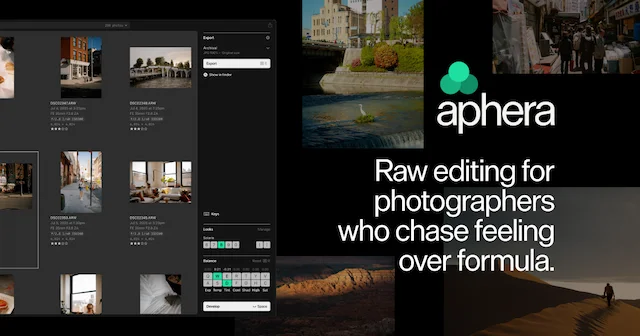
 ApheraA fast RAW photo editor for Apple Silicon Macs, with film-inspired color.Paid
 - TablePlus
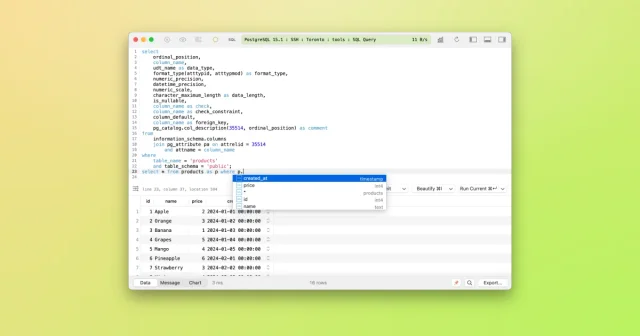
 TablePlusA native database client for SQL and NoSQL work, with inline editing.Freemium
 - PhotoCraft
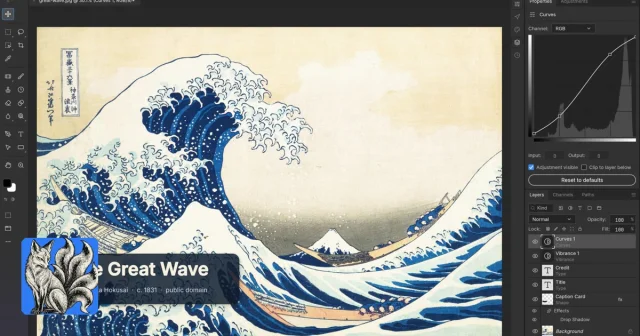
 PhotoCraftA free, open-source image editor laid out like Photoshop.Free
 - Compositor
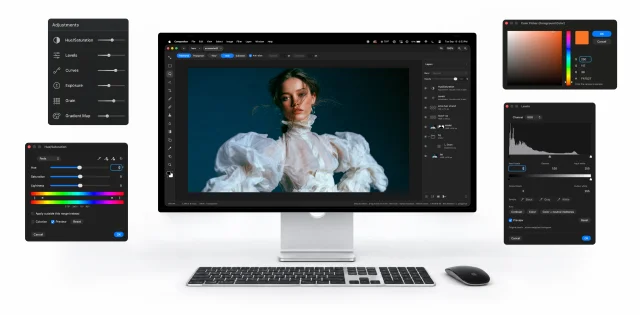
 CompositorFree, open-source image editor that follows Photoshop's way of working.Free
 - Fovea
 FoveaCull a whole shoot from the SD card with the keyboard, fast and fully local.Paid
 - Katami
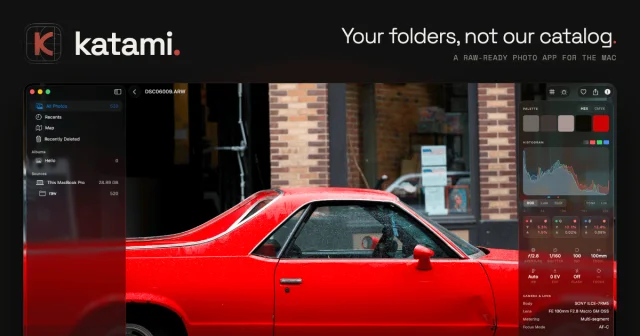
 KatamiBrowse, search and cull photos where they already live, then hand picks to your editor.Paid
 - Phiewer
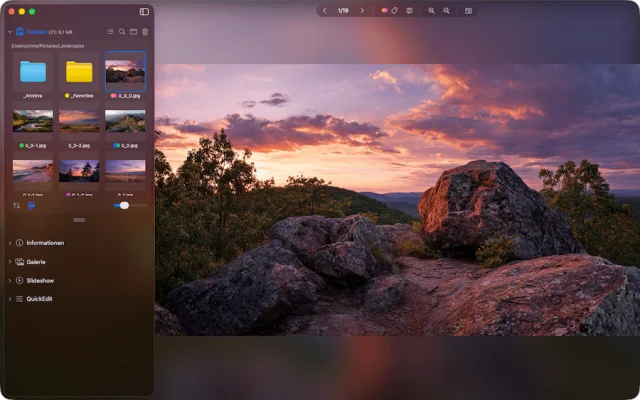
 PhiewerA fast photo and image viewer that browses folders instead of libraries.Freemium
 - Postico 2
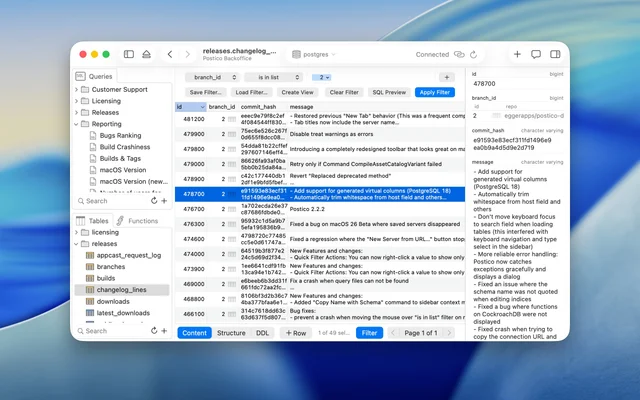
 Postico 2A PostgreSQL client that stays readable as the data grows.Paid