KiwiDesk
v3.2.0, released this weekA tiling window manager you set up in a Settings window, no config file or SIP changes
FreeOpen sourceFree for personal and work use; a commercial license is only needed to sell, bundle or host itmacOSUpdated 6 days ago


About
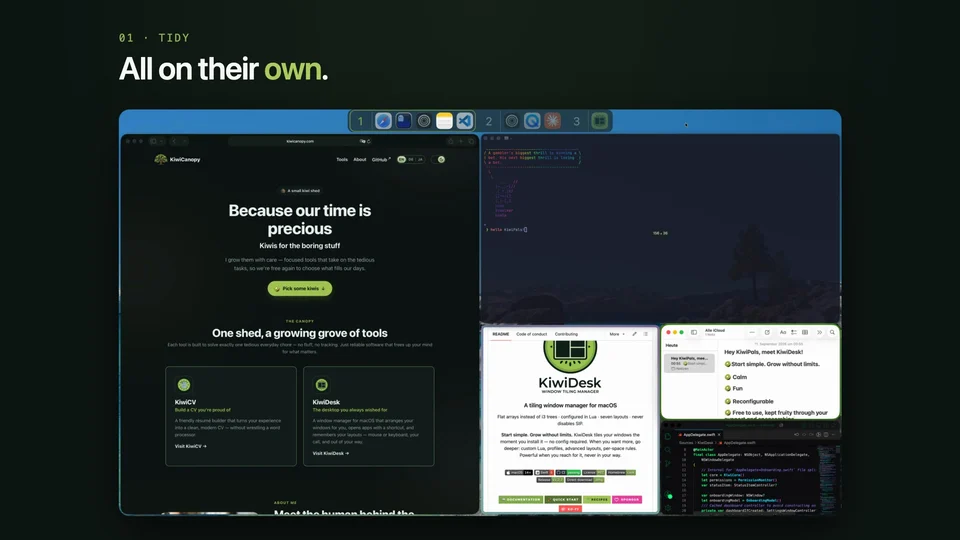
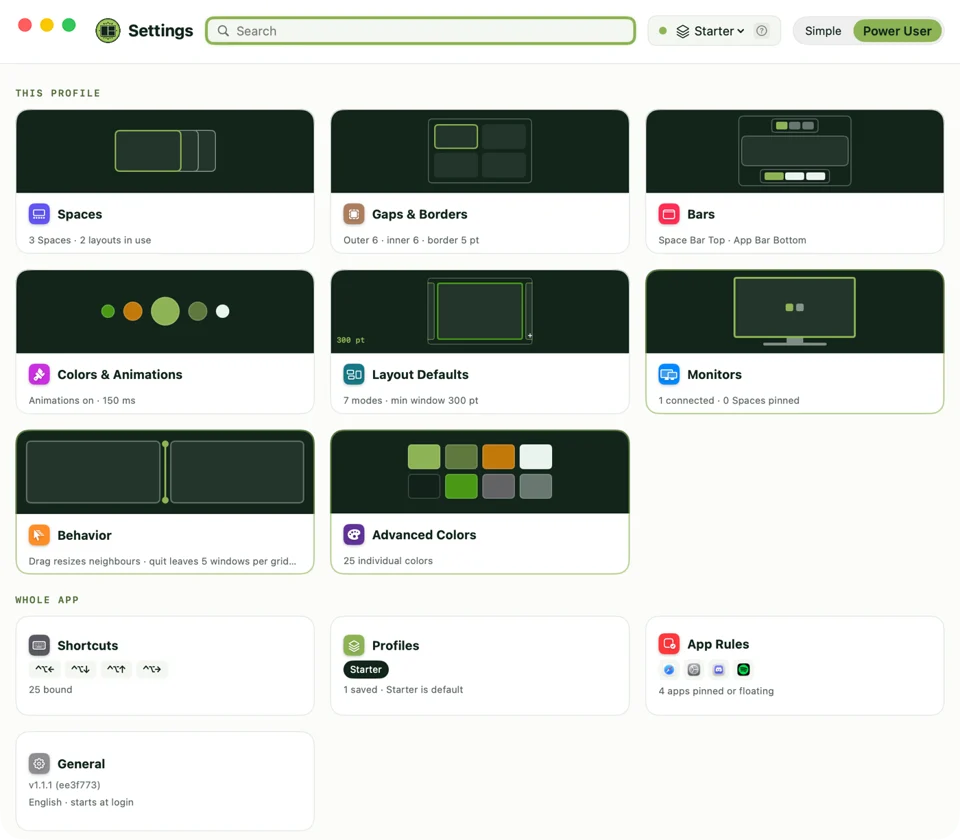
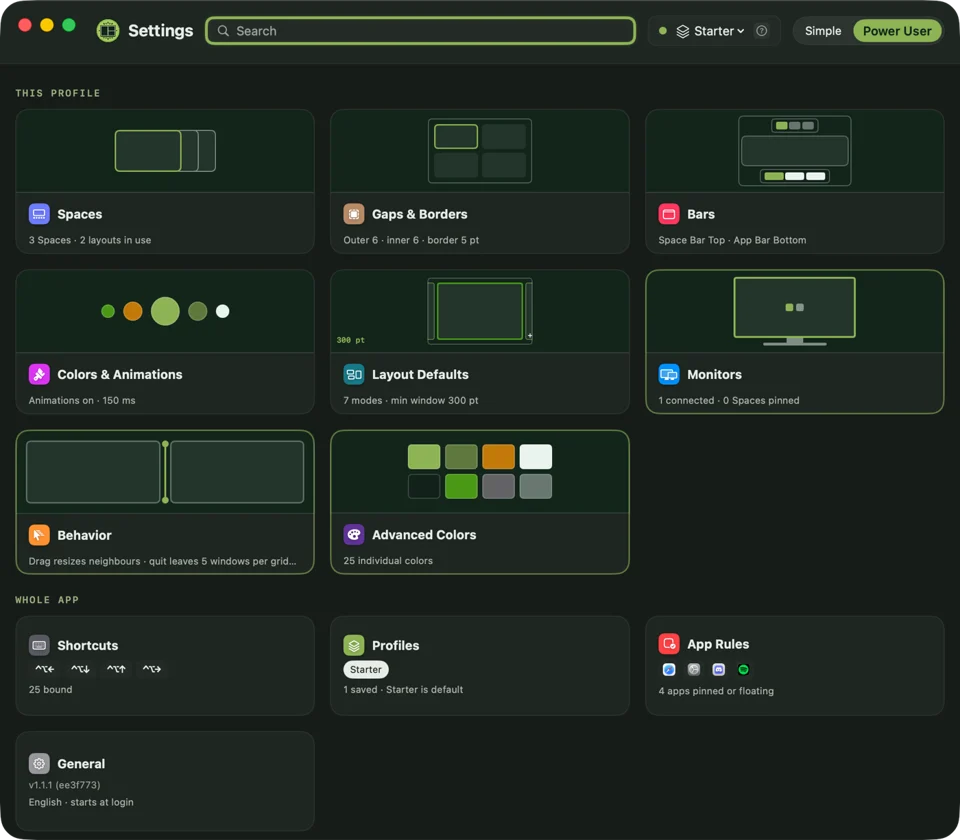
KiwiDesk tiles your windows as soon as it launches, and you adjust gaps, borders, spaces and shortcuts in a Settings window with live previews rather than a config file. It has seven layouts, including a sideways-scrolling desktop, plus a Space Bar you can drag windows onto and a separate profile for each screen setup. People who want more can use Lua scripts, a command-line tool and SketchyBar events. It only asks for Accessibility access and never needs System Integrity Protection turned off. Native Swift, free for personal and work use under the source-available BSL 1.1, and it needs macOS 14 or later on Apple silicon.
- Price
- Free, Free for personal and work use; a commercial license is only needed to sell, bundle or host it
- License
- BSL-1.1
- Version
- 3.2.0 · Oct 21, 2026
- Platforms
- macOS
- Category
- Window Management
Featured badge
Make KiwiDesk yours: show the badge on its site and the listing marks itself as linked back.

<a href="https://macgrove.app/apps/kiwidesk">
  <img src="https://macgrove.app/badge/kiwidesk.svg" alt="Featured on MacGrove" width="259" height="32" />
</a>[](https://macgrove.app/apps/kiwidesk)What’s new
All 19 releases3.2.0Latest · 6 days ago
KiwiDesk is built in free time and is free to use for everyone. If it has earned a place on your Mac — a star on GitHub, a word to someone who tiles, or a coffee through GitHub Sponsors or Ko-fi — every one of those keeps it fruity.
KiwiDesk 3.2.0 lets each bar hide until you need it, keeps your setup the same on every Mac, and lets one layout or Space tile smaller windows than the rest.
Spotlight
- Bars that hide until you need them — Set each bar to Always, Auto or Hidden; ⌃⌥G and ⌃⌥H show a hiding one. {setting:settings.spaceBarStyle.visibility (master)} {symbol:menubar.arrow.up.rectangle}
- KiwiVision fades in — The window you leave now eases into the dim; choose how fast. {setting:appWide.visionFadeDuration} {symbol:binoculars}
- The App Bar shows what's on your screen — Windows you can see are lit; ones cut off or covered are dimmed. {symbol:eye}
Earlier
3.1.0KiwiDesk is built in free time and is free to use for everyone. If it has earned a place on your Mac — a star on GitHub, a word to someone who tiles, or a coffee through GitHub Sponsors or Ko-fi — every one of those keeps it fruity.
KiwiDesk is built in free time and is free to use for everyone. If it has earned a place on your Mac — a star on GitHub, a word to someone who tiles, or a coffee through GitHub Sponsors or Ko-fi — every one of those keeps it fruity.
KiwiDesk 3.1.0 adds one key to put a Space's window sizes back, and Settings now records Hyper shortcuts.
Spotlight
- Window sizes back in one key — Resized for a moment? ⌃⌥R returns the Space to your profile's sizes. {setting:keybinding.reset_sizes} {symbol:rectangle.split.3x1}
New
- New: ⌃⌥R puts back the sizes in the Space you're on — every window you resized there, by key or by dragging, returns to what your profile set. Updating adds the key where it's free and the action has no shortcut yet, as ✦R if you moved your letter shortcuts to Hyper; change or remove it in Shortcuts & Gestures ▸ Size & float.
Improved
- Switching to a Desktop that loads its own profile is now quicker, without the brief stall it could have on the way in.
Fixed
- With a Hyper key set, Settings now records Hyper shortcuts too: they already worked from init.lua and the CLI, but recording one in Settings kept only the key. Now holding the Hyper key adds ✦.
- docs(site): bring the landing, guide and compare pages up to 3.0.0 (merge after v3.0.0 publishes)
- chore(site): sync release notes and feed for v3.0.0
- chore(plugin): give the plugin the app icon for its listing
- feat(keys): Reset sizes in this Space on ⌃⌥R
- docs(guide): list KiwiVision's default key
- docs(limitations): a float stays under the window you focused
- perf(desktops): a bound Desktop switch sweeps its apps once
- chore(skills): the fixed desk is exactly fifteen windows
- fix(settings): record a held Hyper key in the shortcut recorder
- chore(release): stamp version 3.1.0
3.0.0KiwiDesk is built in free time and is free to use for everyone. If it has earned a place on your Mac — a star on GitHub, a word to someone who tiles, or a coffee through GitHub Sponsors or Ko-fi — every one of those keeps it fruity.
KiwiDesk is built in free time and is free to use for everyone. If it has earned a place on your Mac — a star on GitHub, a word to someone who tiles, or a coffee through GitHub Sponsors or Ko-fi — every one of those keeps it fruity.
KiwiDesk 3.0.0 brings KiwiVision for focus, KiwiHub for windows and shortcuts, a layout cycle, and setup by asking your AI app.
Before you update: Space switches no longer slide — they're instant, and a screen without a Space Bar names the Space for a moment. The menu bar's Layout, Switch Profile and View Shortcuts… rows are now one Open KiwiHub… row.
Spotlight
- Everything but your focus fades back — ⌃⌥V dims everything else; a lens keeps the apps you pick clear. {setting:appWide.visionLenses} {symbol:binoculars}
- One panel for windows, shortcuts and layouts — ⌃⌥J finds a window, ⌃⌥K your shortcuts, ⌃⌥L a layout, profile or lens. {setting:keybinding.show_shortcuts} {symbol:macwindow}
- Step through your layouts — ⌃⌥C moves the Space you're on to its next layout, ⌃⌥⇧C back. {setting:config.modeCycle} {symbol:rectangle.3.group}
- Set KiwiDesk up by asking your AI app — Add it to Claude Desktop in a click; other AI apps get a setup prompt. {setting:(action) ai.setup.desktop} {symbol:brain.head.profile}
- Hold one key instead of several — Make Caps Lock or another key Hyper; move ⌃⌥ letter shortcuts to it. {setting:appWide.hyperKey} {symbol:capslock}
- Focus follows the pointer — Rest the pointer on a window to focus it; off until you turn it on. {setting:settings.mouse.hoverFocus} {symbol:cursorarrow}
New
- New: KiwiVision (⌃⌥V) dims and blurs everything but the window you're in. Settings ▸ KiwiVision sets how much, whether the wallpaper or the current app's other windows stay clear, which apps are never dimmed, and whether macOS switches to Dark while it's on.
- New: KiwiVision lenses keep the apps you pick clear, each on its own shortcut and in the profiles you choose; while one is on, KiwiDesk's focus keys stay on those apps. Make one with New Lens… in Settings ▸ KiwiVision.
- New: KiwiHub, one panel on ⌃⌥J, ⌃⌥K and ⌃⌥L. Jump to any window by typing its name (⇧↩ brings it to the Space you're on), see every shortcut, or pick a layout, profile or lens for the Space under the pointer; Tab steps between the three.
- New: ⌃⌥C switches the Space you're on to its next layout and ⌃⌥⇧C to the previous one, with a moment's picture of the cycle. Choose the layouts it walks under Shortcuts & Gestures ▸ Layout ▸ Layouts to cycle; it starts with BSP, Scrolling and Floating.
- New: set KiwiDesk up by asking your AI app. Settings ▸ AI adds KiwiDesk to Claude Desktop in one click or copies a setup prompt for Claude Code, Cursor or Codex, with ready-made prompts for your Spaces, a new look, app rules or a move from another window manager; setting changes stay temporary until you say keep.
- New: focus can follow the mouse — rest the pointer on a window and it takes the focus. Off by default; turn it on under Shortcuts & Gestures ▸ Mouse & trackpad ▸ Focus and the pointer.
- New: a Hyper key. Shortcuts & Gestures ▸ Hyper key turns Caps Lock, a modifier (left and right apart) or an F-key into an extra modifier no app uses, without Input Monitoring, and offers to move your ⌃⌥ letter shortcuts and Go to Desktop keys onto it. Quitting KiwiDesk gives the key back.
- New: a What's new link in Settings Home's footer opens the notes of any release since 2.0.0.
Improved
- Space switches are now instant and no longer slide; on a screen without a Space Bar a plate names the Space you arrived on for a moment. Turn it off under KiwiShelf ▸ Show ▸ Show the Space after a switch.
- A Monocle Space no longer flips a card when focus moves: the next window comes straight to the front, and the two flip settings are gone.
- The menu-bar menu now has one Open KiwiHub… row in place of Layout, Switch Profile and View Shortcuts…; it opens KiwiHub on its Layout, Profile and KiwiVision lines.
- Updating now adds ⌃⌥J, ⌃⌥L, ⌃⌥C, ⌃⌥⇧C and ⌃⌥V wherever the key is free and the action has no shortcut yet; change or remove them in Shortcuts & Gestures. ⌃⌥K still opens your shortcuts, now as KiwiHub's middle side.
- Scrolling and Monocle have new symbols in the Layout menu, the Space Bar and KiwiHub, so the two no longer look alike.
- A look now carries your animations too, so changing them on the shared look reaches every profile that wears it.
- Settings looks and responds more consistently: every button, palette, chip and menu lifts grey under the pointer, searchable lists move one kiwi highlight with both the pointer and the keys, and the font and app pickers match macOS's own pop-ups.
- Settings now lists changes made from outside it, by a shortcut, the command line or an AI app, under Live, not saved in the save pill, and Save no longer puts back a change made while Settings was open; Keep saves them into your profile.
Fixed
- An app that takes a few seconds to start, like Word, Xcode or VS Code, now takes you along to its App Rule's Space.
- Floating windows now stay above the tiles after a Space Bar or App Bar click or a keyboard focus move, and the focus border no longer slips under a floating window or goes missing on a floating sticky one.
- With the menu bar shown on hover, the window you were in no longer flickers while the pointer rests at the top of the screen on macOS 27.0.1.
- A shortcut on ⌃1 to ⌃9 now warns that macOS's Switch to Desktop shortcut takes that key.
Lua & CLI
- If you write your own Lua config: show_shortcuts is now kiwihub.show("shortcuts"), the slide's animations.set_on_space_change, animations.set_space_change_duration and set_space_switch_liquid_glass give way to set_space_cue, and animations.set_on_monocle_focus and animations.set_monocle_flip_duration are gone. Each old name is refused with its replacement, and shortcuts saved in Settings are renamed for you.
- New verbs: kiwivision.*, look.*, app_rule.*, shortcut.*, explain_window and explain_app, move_here, set_hyper_key, mouse.set_hover_focus and mouse.set_hover_focus_delay; kiwidesk mcp serves them to AI apps.
- kiwidesk completion zsh|bash|fish and kiwidesk watch are new, subscribe --reconnect survives a relaunch, and an app verb given an app's name now suggests its bundle id.
- chore: bring main into release/3.0.0
- feat(commands): add cycle_mode and the mode_cycle list
- fix(commands): spell cycle_mode's back step prev, listed first
- feat(profiles): add a per-profile mode_cycle override
- feat(commands): seed the layout cycle on ⌃⌥C / ⌃⌥⇧C with a Layout shortcuts group
- fix(gui): line up the Open applications reach column
- feat(commands): add show_layout_picker, the layout menu at the pointer
- feat(commands): seed the layout picker on ⌃⌥L
- feat(commands): show the cycle list after cycle_mode
- refactor(profiles): apply the behaviour overrides through one helper
- feat(gui): edit the layout cycle in Settings ▸ Shortcuts ▸ Layout
- feat(animation): pick how a Space switch shows itself
- chore: bring main into release/3.0.0
- feat(app): add Jump to window's rows, search and actions
- chore: bring main (2.3.0) into release/3.0.0
- feat(commands): add move_here, one window of an app moved here
- feat(gui): add the Jump to window panel
- feat(keys): seed Jump to window on ⌃⌥J
- feat(looks): animations join the shared look
- feat(gui): say how monocle differs from scrolling
- chore(site): sync release notes and feed for v2.3.1
- feat(animation): make a Space switch instant and drop the slide
- chore: bring main (2.3.1) into release/3.0.0
- fix(gui): key panels hand focus back cleanly
- feat(jump): pick a layout from the Jump to window panel
- feat(animation)!: remove the Monocle focus flip
- feat(commands): an app verb's refusal names the bundle id
- feat(gui): shortcut rows say what the key does
- fix(focus): return a menu-bar reveal's focus once the bar hides
- chore(agents): split the §5 table into per-subsystem sections
- chore: sync main into release/3.0.0 (§5 split, #2250)
- fix(gui): Monocle story steps the fan forward
- fix(focus): follow a slow cold launch into its app rule's space
- feat(gui): shortcuts join the key panel as its middle side
- test(ax): park the adoption heal's re-arm before counting its reads
- docs(limitations): a reopened app can switch Desktops
- feat(vision): KiwiVision's dim plate and its toggle
- feat(cli): add kiwidesk mcp, a stdio MCP server
- feat(vision): KiwiVision dim and glass blur
- feat(cli): keep an MCP session's setting changes
- feat(vision): switch the system appearance while KiwiVision is on
- feat(settings): add the AI page for kiwidesk mcp
- fix(service): refuse to install from a translocated copy
- feat(commands): name the key panel KiwiHub, one kiwihub.show verb
- feat(looks): add the look.* verbs
- test(settings): tie the AI grey to its button, the caption to its row
- feat(mcp): add the looks tool and the Make a new look prompt
- feat(settings): add the KiwiVision page and store its settings
- feat(app-rules): add the app_rule.* verbs and keep their rules
- refactor(borders): extract the WindowServer watch out of BorderManager
- feat(shortcuts): add the shortcut.* verbs
- feat(keys): add a Hyper key held through an F18 remap
- feat(settings): add the Hyper key recorder row
- feat(mcp): add the app_rules tool and the app rules and migration prompts
- fix(borders): ring a focused floating sticky visitor
- refactor(os): move the WindowServer event pump into OS
- feat(mcp): add explain_window, explain_app and the diagnose_window tool
- feat(vision): veil floats above the focused window
- fix(borders): keep the focus ring and floats on top after a focus change
- fix(vision): drop the float veils, dim a float as it lands
- fix(tests): never let a test run move the user's real windows
- feat(keys): offer to move the ⌃⌥ letter shortcuts to Hyper
- feat(vision): keep the wallpaper clear through a plate mask
- feat(vision): keep the current app's other windows clear
- fix(tests): never boot a test core
- build(site): update astro to 7.4 and patch dependencies
- build(lua): update vendored Lua to 5.5.1
- build(deps): update Sparkle to 2.10.0
- feat(vision): keep the apps you list never dimmed
- chore: sync main into release/3.0.0 (dependency updates)
- feat(cli): add shell completion, subscribe --reconnect and watch
- feat(app-rules): lead the Space and Float pickers with apps on screen
- fix(shortcuts): give the KiwiVision toggle row its card symbol
- feat(kiwihub): cap the panel at 400 pt on every side
- feat(mouse): focus the window the pointer rests on
- feat(vision): store KiwiVision lenses and read every setting through one resolver
- feat(gui): open any release's notes from Home's footer
- fix(keys): register macOS Switch to Desktop 1-9 as reserved chords
- feat(mcp): add the Claude Desktop extension and the Claude Code plugin
- feat(shortcuts): give KiwiVision its own shortcuts section
- feat(kiwihub): the View side — Layout, Profile and KiwiVision lines
- feat(kiwihub): fold digit ladders and mirrored pairs in the shortcuts overview
- feat(vision): turn a KiwiVision lens on (#2103 lens PR 2)
- feat(menu): one Open KiwiHub row replaces the quick menu's switches
- feat(mouse): tune hover focus's rest delay from Lua
- feat(gui): rename the Space Bar's Other Spaces row
- fix(profiles): never overwrite a config file a newer build wrote
- fix(mouse): explain hover focus's scrolling stand-down
- feat(kiwihub): a chip per KiwiVision lens on the View side
- fix(mouse): hover focus reaches the Settings window
- feat(vision): a lens applies only where its profile takes it
- fix(vision): see SketchyBar, so Never dimmed can keep it clear
- feat(gui): list live changes not saved in the save pill
- fix(kiwihub): chips hug their text; buttons join the footer row
- chore: sync main into release/3.0.0 (What's new link, #2318)
- feat(vision): a lens keeps the keys on its apps
- refactor(app-rules): a window title editor any list can mount
- feat(vision): a lens holds a stray landing under the haze
- feat(vision): lens shortcut rows and the rename and delete crossings
- docs: a Mission Control swipe-down moves the focus; docs-only changes take CI as their gate
- fix(ax): the visible-panel scan reads an untracked window's button
- fix(app-rules): the Float list reads a float rule as the engine does
- test(app): arrival debts age on the core clock; the cycle row's pick is tested
- feat(vision): the lens page's draft and Save (lens PR 7a)
- refactor: one rest door pays the float raise; the Desktop cue asks the shelf
- fix(l10n): zh-Hant names the layouts natively; ja takes a layout out
- feat(vision): the Settings lens page (lens PR 7b)
- feat(mcp): add the kiwivision tool and kiwivision.current
- test: remove the 3.0.0 audit's duplicate, vacuous and value-pin tests
- fix(kiwivision): Clear after and the Reminder grey when gated
- test: rewrite the 3.0.0 audit's value pins as shape assertions
- feat(kiwihub): KiwiVision line without Off, named Default, New Lens last
- feat(kiwihub): Save as New Profile… on the Profile line
- feat(kiwihub): the pointer lifts grey, keys and a click select
- feat(updates): the spotlight row count is a guideline, not a cap
- feat(layout): Scrolling and Monocle take new symbols
- fix(kiwihub): halve the bordered footer's vertical padding
- feat(settings): Keep the live, not saved rows from the save pill
- fix(kiwivision): KiwiHub reads as no own key window
- feat(kiwihub): leave a lens with no apps off the KiwiVision line
- feat(settings): bordered buttons lift grey on hover, everywhere
- fix(events): hover focus leaves a focused Settings window
- feat(settings): offer the hover focus delay in Mouse & trackpad
- fix(settings): button chips keep the bezel's shape; a lift promises the click
- chore: sync main into release/3.0.0 (Mission Control swipe-down, #2350)
- feat(settings): the shut gestures card shows every gesture's picture
- Merge release/3.0.0 into main
- docs(performance): 3.0.0 against 2.3.1 on the fixed desk
- fix(events): hover focus holds the window a focus change left the pointer on
- chore(bar): update sketchybar-app-font to v3.0.9
- chore(l10n): translate the 3.0.0 keys in all ten catalogs
- feat(settings): AI set up rows take the prompt row shape
- fix(settings): the AI setup intro is the card caption
- docs(plugin): name what the launcher runs, the privacy policy and support
- feat(settings): unify the hover lift across KiwiDesk's click targets
- feat(settings): one cursor for pointer and keys in searchable dropdowns
- chore(release): stamp version 3.0.0
2.3.1KiwiDesk is built in free time and is free to use for everyone. If it has earned a place on your Mac — a star on GitHub, a word to someone who tiles, or a coffee through GitHub Sponsors or Ko-fi — every one of those keeps it fruity.
KiwiDesk is built in free time and is free to use for everyone. If it has earned a place on your Mac — a star on GitHub, a word to someone who tiles, or a coffee through GitHub Sponsors or Ko-fi — every one of those keeps it fruity.
KiwiDesk 2.3.1 leaves Spotlight alone on macOS 27.
Fixed
- Spotlight stays where it opens on macOS 27 — KiwiDesk mistook Spotlight's search panel for one of your windows: typing nudged it down, and sometimes it opened in a corner of the screen. KiwiDesk now leaves it alone.
- chore(site): sync release notes and feed for v2.3.0
- chore(agents): curator leads with what the reader sees
- chore(site): bump the site-patch-and-minor group in /site with 5 updates by @dependabot[bot] in
- chore(bar): update sketchybar-app-font to v3.0.7 by @github-actions[bot] in
- ci(app-font): open the update PR with the sync PAT
- fix(ax): never manage Spotlight's panel on macOS 27
- chore(release): stamp version 2.3.1
- Source
- GitHub releases
- Last checked
Similar apps
- AeroSpace
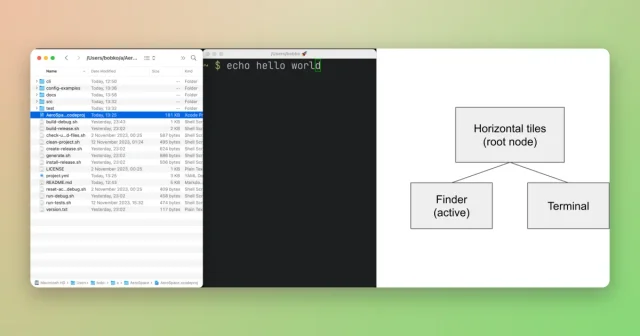
 AeroSpaceAn i3-style tiling window manager for macOS, keyboard-first and scriptable.Free
 - OmniWM
 OmniWMScrolling or tiling layouts, chosen per workspace.Free
 - Rectangle
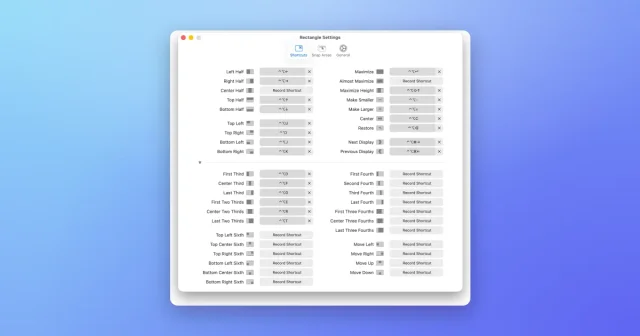
 RectangleMove and resize windows with keyboard shortcuts and snap areas.Free
 - Taskbar
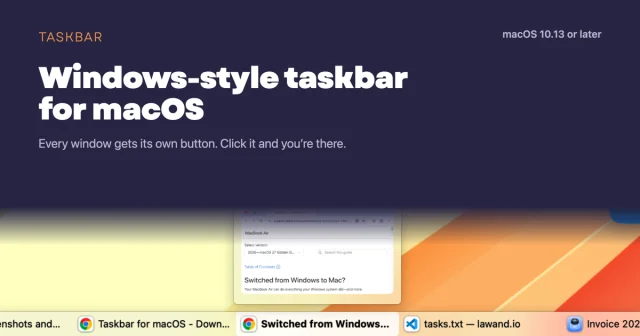
 TaskbarTaskbar for macOS: Windows-style taskbar and Start menuFree
 - Moom
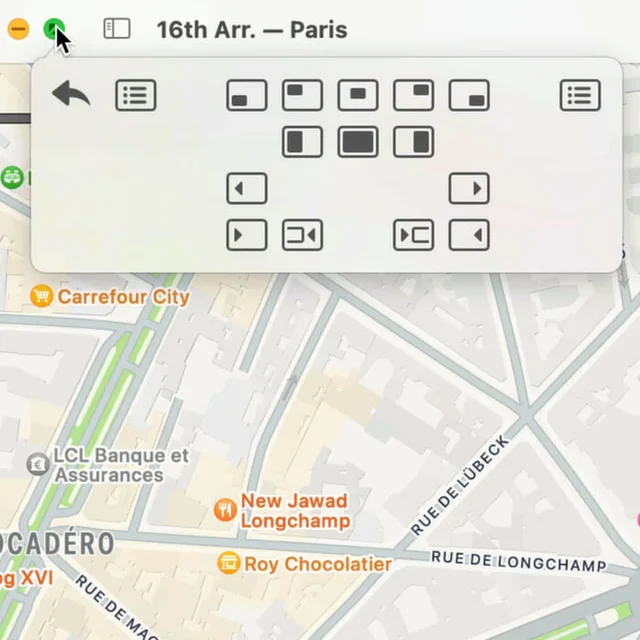
 MoomWindow control from a palette, a shortcut, or the green button.Paid
 - Open Contexts
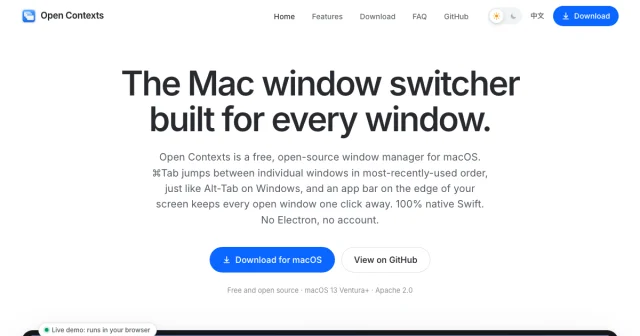
 Open ContextsA free window switcher that lists every window, not just every app.Free
 - SpaceJump
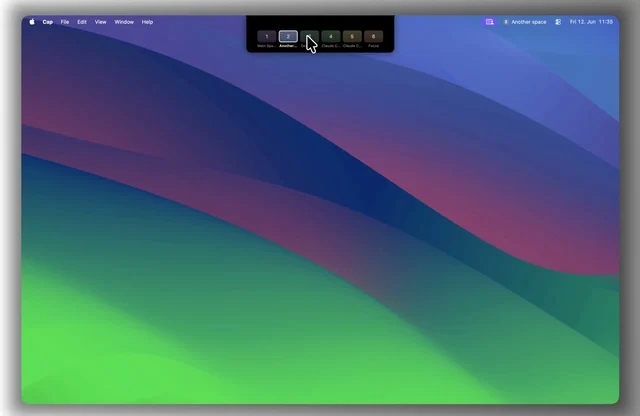
 SpaceJumpName your macOS Spaces and jump between them with a keyboard switcherPaid
 - Loop
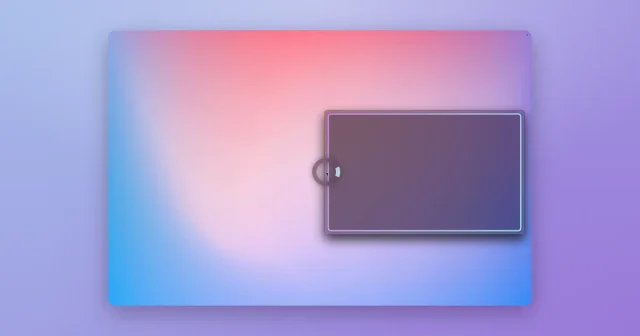
 LoopA radial menu for moving and resizing windows, with live previews.Free